



Custom Software vs Off-the-Shelf: Finding the Right One

Summary: Choosing between custom software and off-the-shelf (SaaS) comes down to budget, timeline, and competitive advantage. Off-the-shelf is faster and cheaper upfront, ideal for standard tasks. Custom software requires a higher initial investment and time, but is tailored exactly to your workflows, yielding a better long-term ROI.

At some point in time, every growing business faces this question: Do they need a custom software solution or should they invest in an Off-the-shelf software solution available in the market? This question is very important for the growth of your business, and the answer to this question is equally important.

In comparison between a custom software solution vs an off-the-shelf solution, the right answer depends on factors such as scale, business type, operations, and future goals.

This is one of the most common questions among businesses in the USA, UK, Australia, and Germany, and we are writing this guide to help them decide the right one.

In this guide, we will talk about custom software development, its pros, whether it’s useful for your business, and in which cases you must consider building a personalized software solution for your business.

​So, let’s find out what’s right for your business: Off-the-Shelf vs Custom Software Development.

What is Custom Software Development?

When you develop a software system to fit your company’s unique operational requirements, it is called custom software development.

The latter is designed, developed, and deployed to increase the operational efficiency of a business. Understanding the specific advantages of custom software development can help you evaluate how personalization impacts your long-term bottom line.
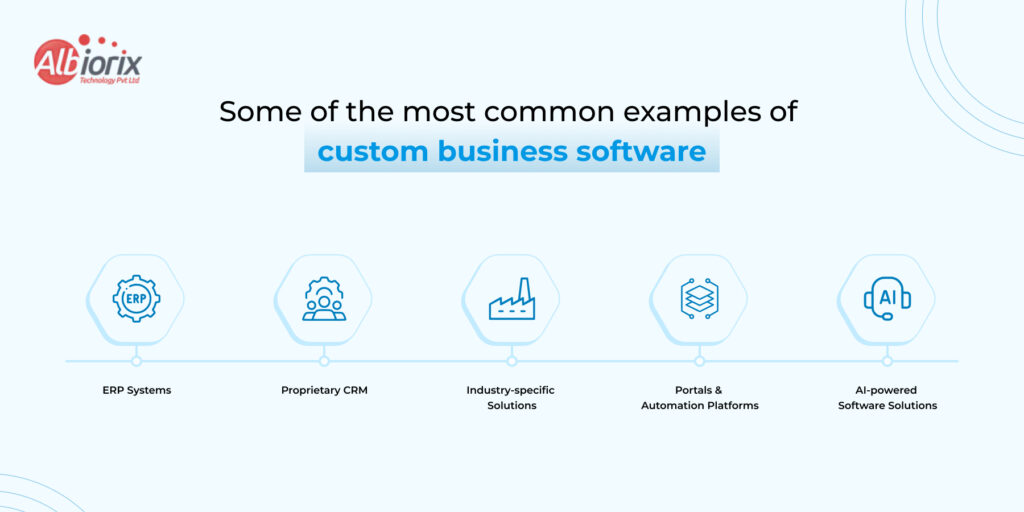
common examples of custom business software

Some of the most common examples of custom business software include:

  1. ERP Systems: This type of software is developed for manufacturing and logistics operations.
  2. Proprietary CRM: This type of software platform is built to fit any company’s unique sales cycle.
  3. Industry-specific Solutions: This type of software platform is built to meet industry compliance and standards.
  4. Portals & Automation Platforms: This type of software solution is built for unique internal workflows and automations.
  5. AI-powered Software Solutions: This type of software platform is powered by Artificial Intelligence and developed to automate business operations. You can look at real-world deployments in our overview of AI-powered software solutions & apps by Albiorix.

What is Off-the-Shelf Software? 

Off-the-shelf software are readymade software solutions that are built around general purposes for a wide range of businesses and audiences. They have the most common features/functions required by most businesses across the globe.

You can subscribe to or buy a liscensed version of software and configure (up to a certain extent) them as per your business requirements.

Off-the-Shelf software has been around for decades, and some of the most common examples are Salesforce, SAP, HubSpot, Microsoft Dynamics, and QuickBooks, to name a few.

Many also fall under the SaaS (Software as a Service) model, meaning the vendor hosts and maintains the product.

Custom Software vs Off-the-Shelf Software: Side-by-Side Comparison 

In the discussion between custom software development vs off-the-shelf software, there are many things to consider. In some cases, when you are running short of budget, traditional software solutions can be truly useful.

But as your business grows, you can invest in custom business software that can accommodate your business needs and help you grow exponentially.

However, before we deduce what’s good for your business and what’s not, let’s have a look at this detailed comparison table between Custom Software vs Off-the-shelf:

Factors Custom Software Off-the-Shelf Software 
Upfront CostHigher initial investmentLower initial cost
Long-term ROIHigher – Built around your workflowsLower – Licensing fees accumulate
Time to DeployWeeks to Months (Depens on Scope)Days to weeks
Scalability Unlimited – Scales with your business Vendor-dependent, often rigid 
Integrations Seamless with existing systemsVendor-supported APIs
Owership You own the code and IPVendor owns the product
Customization100% tailored to your processes Minimal – often cosmetic only
Security ControlFull – Built to your compliance needsVendor-managed, limited control
Support Dedicated dev team/agencyVendor help desk, community forums 
Best forEnterprises, Complex Workflows, Competitive differentiationSMBs, Standard Use Cases, Fast Deployment

It’s not always the case that readymade/off-the-shelf are bad for your business. You can start with them, and gradually upgrade to custom software development when your business grows.

However, if you still want to know the cost of an enterprise software solution, we offer a free quote. Talk to our software experts for free.

Still Confused? Not Sure Which Option is Right For Your Business? We can help!


Talk to us!

What is the Real Cost Difference Between Off-the-Shelf vs Custom Software 

With the real cost difference between custom software development and off-the-shelf software, we want to discuss licensing rates, development costs, operational expenses, and long-term maintenance costs

How much will you pay in the long run, and which option will be cost-effective and business-centric?

What is the cost of Off-the-Shelf Software? 

The cost of off-the-shelf software solutions ranges from $100 to $1000 per user per month. Along with the per-user fees, you also have to pay a license fee, which may start from $5000 to $10,000 (standard purchase).

Now, as your team scales and your business grows, the cost of Off-the-shelf software also increases.

  • Have a look at the cost of ownership of an off-the-shelf software:
  • Per user licensing fees that compound as your business grows
  • Annual price increases at vendor discretion.
  • Add-on modules and premium tiers that unlock essential features.
  • Professional services fee for customization and implementation
  • Expensive migrations when you eventually outgrow the platform.

Investing in off-the-shelf software is not a bad idea initially. But, if you are thinking about the long run, then it is advisable to use custom business software. At least, at the end, you will be owning a business software, it’s equity, and proprietary.

What is the Cost of Custom Software Development?

The development cost of a custom software solution falls somewhere between $50,000 to $500,000. Further, this cost can increase depending on features, complexity, time-to-market, and many other factors.

Custom software development also requires a larger upfront investment. Thus, you have to be prepared for the heavy initial investment.

However, once you have built custom business software, this amount will be recovered in 3-5 years. You eliminate the cost of liscencing, save on paying per-user, and other unexpected costs.

Enterprise software solutions are beneficial as you build a proprietary system that becomes a competitive moat and not a shared commodity. For instance, evaluating how ai agents vs traditional automation perform can help you determine the right intelligence layer for your system.

When working with reputable software development consulting USA firms, the investment typically includes architecture design, development, testing, deployment, and ongoing support, all structured around your business model.

What is Better: Custom Software vs SaaS Comparision

The custom software vs SaaS comparison is increasingly relevant as more businesses default to cloud subscriptions. Here’s where the differences become material:  

Data Ownership and Privacy Comparision:  

With SaaS, your data lives on a third-party server. For businesses in regulated industries such as healthcare, finance, legal, government, this introduces compliance risk. HIPAA, GDPR, SOC 2, and ISO 27001 requirements can be extremely difficult to meet under a shared SaaS environment.  

Custom software gives you full control over where data is stored, how it’s encrypted, and who can access it. This is non-negotiable for enterprises handling sensitive information.

Workflow Fit Comparision:  

SaaS platforms are built for the 80% use case — the workflows most businesses share. If your operations are standard, that works fine. But if your business has specific, differentiated processes (and most scaling enterprises do), you end up bending your operations to fit the software rather than the other way around.  

Custom business software is designed the other way around: your workflow drives the product logic. Knowing the architectural difference between website and web application platforms ensures you fund the correct framework for those workflows.

Vendor Lock-In Comparision:  

Every year you invest in a SaaS tool, migration costs grow. Data portability is rarely clean. Features you depend on can be deprecated or moved behind higher-tier plans. You are, structurally, at the vendor’s mercy.  

With custom software, you control the roadmap. Features are added when your business needs them and not when the vendor decides. 

Should My Company Build Custom Software? 5 Questions to Ask  

If you’re genuinely asking ‘should my company build custom software,’ run through these five diagnostic questions:  

Does any existing software actually fit your workflows? 

If you’ve tried two or three platforms and spent months in configuration, that’s a signal. Custom might be cheaper in the long run.  

Is software a core part of your competitive differentiation? 

For tech-enabled service businesses, fintech, healthtech, or logistics companies, the software IS the product. Off-the-shelf gives every competitor the same toolset.  

What are your 3-year scaling projections? 

SaaS pricing scales linearly with users. Custom software scales on your infrastructure terms.  

Do you have strict compliance or security requirements? 

If the answer is yes, custom is almost always the correct answer.  

Are you wasting significant staff time working around software limitations? 

If your team is maintaining spreadsheets alongside your CRM, or manually exporting data between systems, you’re already paying the cost of the wrong software.  

Enterprise Software Buying Guide: A Decision Framework

When it comes to investing in enterprise software development, you must understand what your business needs to operate efficiently. Consider this framework before committing either way: 

Choose Off-the-Shelf If…Choose Custom Software If…
Yuo need a solution up and running quicklyYour workflows are complex or highly specific
Your use case is standardYou need deep integration with existing systems
Budget for the short term is tight You are planning to scale significantly
You are a startup validating a product ideaData security and compliance are non-negotiable
A vendor’s roadmap meets your needsYou want full IP ownership and competitive moat

Consider this framework before committing either way. If your team leans toward building a proprietary ecosystem, aligning your goals with a structured digital product development lifecycle keeps the project on track.

Get a free quote and consultation from software developers at Albiorix Technology.


Let’s get started!

The Role of Software Consulting Services  

One of the most consistent mistakes businesses make is treating this as a binary, all-or-nothing decision. Experienced software consulting services help you avoid that trap. 

A qualified software consultant will: 

  • Audit your current tech stack and identify gaps and redundancies
  • Map your business processes and identify which require custom logic
  • Evaluate off-the-shelf options honestly and recommending them where they genuinely fit
  • Define a build-vs-buy recommendation grounded in TCO (total cost of ownership)  
  • Architect a solution that allows phased development — starting lean and scaling up  

The right software consulting firm doesn’t push custom development because it’s more billable — it recommends what’s right for your specific business model and growth stage. This is why choosing a partner with transparent methodology matters as much as their technical capability.  

Enterprise Software Solutions: What to Expect from a Custom Build 
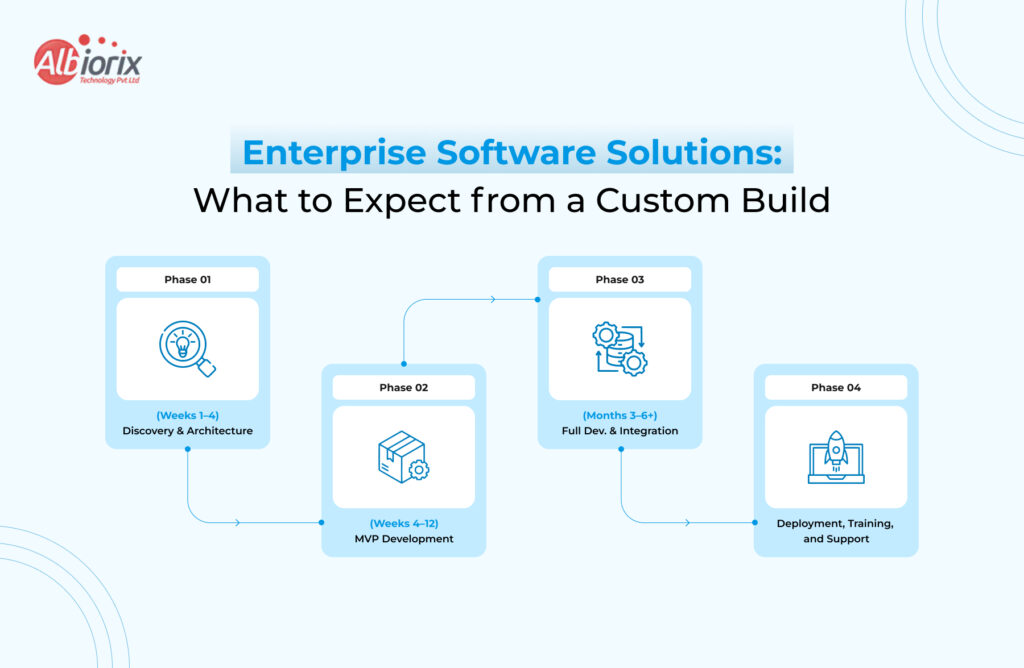
Enterprise Software Solutions: What to Expect from a Custom Build

If the analysis points toward custom, here’s what a structured engagement with an enterprise software development partner typically involves:  

Phase 1: Discovery and Architecture (Weeks 1–4)  

Business analysis, stakeholder interviews, user journey mapping, system architecture design, and technical specification. This phase is what separates experienced software firms from code shops — the upfront thinking determines the quality of the output.  

Phase 2: MVP Development (Weeks 4–12)  

A minimum viable product is built around your highest-priority workflows. You get early visibility into the product, can test with real users, and provide feedback before the full scope is built. This iterative approach reduces risk significantly.  

Phase 3: Full Development and Integration (Months 3–6+)  

Complete feature development, third-party integrations, performance optimisation, and security hardening. For complex enterprise software solutions, this phase includes load testing, penetration testing, and compliance audits where required.  

Phase 4: Deployment, Training, and Support  

Cloud or on-premise deployment, staff onboarding, documentation, and an ongoing support and maintenance arrangement. The best software development consulting USA firms offer a structured hypercare period post-launch.

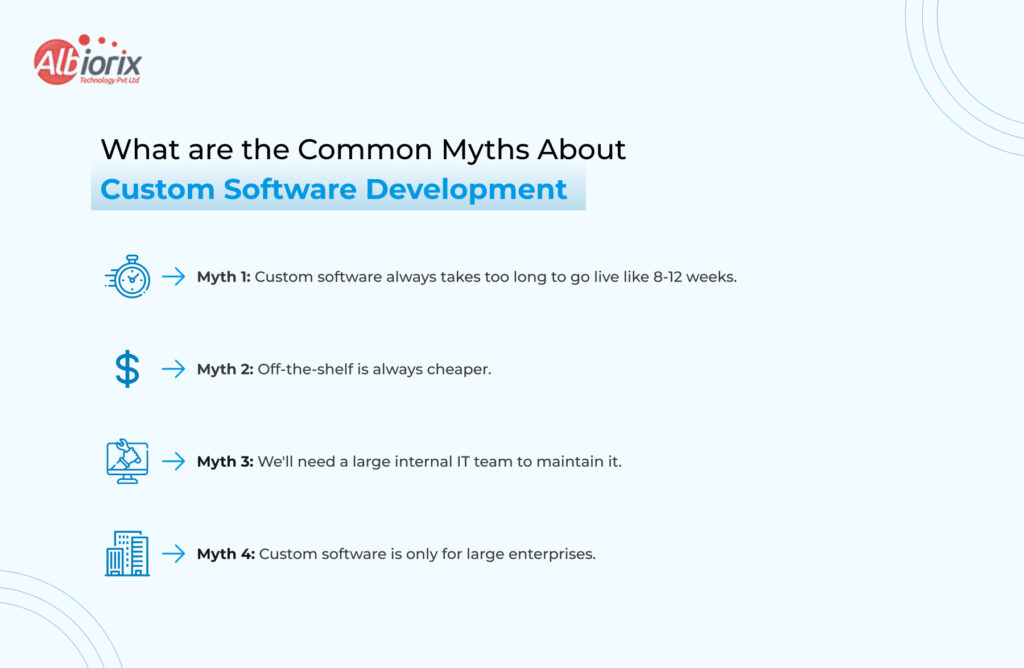
What are the Common Myths About Custom Software Development
What are the Common Myths About Custom Software Development
  • Myth 1: Custom software always takes too long. With modern frameworks and agile software development methodologies, a focused MVP can go live in 8–12 weeks. It’s not always a multi-year project.
  • Myth 2: Off-the-shelf is always cheaper. Short-term, yes. Over 3–5 years, licensing costs, customisation fees, and inefficiencies regularly exceed the cost of a custom build.  
  • Myth 3: We’ll need a large internal IT team to maintain it. Not true when you work with a software partner on a managed services or retainer model. Many organisations run sophisticated custom platforms with zero in-house developers.  
  • Myth 4: Custom software is only for large enterprises. Growth-stage companies with $5M–$50M revenue often see the biggest ROI from custom business software, because their processes are complex enough that off-the-shelf fails them but they’re nimble enough to deploy quickly.  

Hybrid Approaches: The Intelligent Middle Ground

The custom vs off-the-shelf decision isn’t always binary. Many enterprises run a hybrid model — strategic custom software for differentiating functions, with off-the-shelf tools for commodity needs.  

For example:  

  • A logistics company might use a standard accounting platform (Xero, QuickBooks) but build a custom route optimisation and fleet management system. 
  • A healthcare provider might deploy a standard EMR but build custom patient-facing portals and analytics dashboards. 
  • An e-commerce business might use Shopify for the storefront but build custom inventory management and supplier integration software.

Software consulting services can help you identify exactly which parts of your stack warrant custom investment and which don’t. 

How to Choose the Right Software Development Partner  

If you decide to pursue custom business software, partner selection is critical. Evaluate firms on:  

  • A company must have relevant domain experience. They must have built software in your industry.
  • Discovery process rigour. Do they invest in understanding your business before writing code?  
  • Do they ensure communication transparency? Will you have visibility into progress, blockers, and timelines?  
  • Do they offer a post-launch support model? What happens after go-live? 
  • Explore real client references. Can they provide verifiable case studies? 

For businesses in North America, working with software development consulting USA firms gives you the advantage of timezone overlap, legal protectability of IP, and shared regulatory context — particularly important in healthcare, finance, and legal tech.  

Conclusion

There is no universal answer. But there is a right answer for your business and it comes from honest analysis, not default assumptions.

Off-the-shelf software is the right call when you need speed, have a standard use case, or are early-stage and validating a model. It gets you moving fast with predictable costs.

Custom software is the right call when your workflows are complex, compliance is non-negotiable, you’re scaling rapidly, or software is central to your competitive advantage. The upfront investment pays back in ownership, efficiency, and strategic control. 

The businesses that make this decision well — guided by rigorous software consulting services and a clear understanding of long-term costs — are the ones that build software as an asset, not a liability.
SaaS Application Development: The Complete Guide 2026

Summary: Developing a SaaS (Software as a Service) application involves validating a market need, building a Minimum Viable Product (MVP), and designing for scalability. The core process spans market research, choosing your tech stack, setting up multi-tenant architecture, and launching with automated payment systems.

So you have a great software idea. You have prepared all the basic notes about the features and functionalities. You have validated all the points in advance, and now you are figuring out how to bring this idea to life.

Many businesses at this stage explore SaaS Product Development services to streamline the journey from concept to launch. Or, just like thousands of other businesses across the globe, you have decided to do it the other way – adapting the SaaS model.

Software-as-a-Service has completely transformed how businesses buy and use software. It is not only beneficial for businesses but also rewarding for its builders as they have a recurring stream of revenue, global scalability, and a direct relationship with customers that traditional software models can never offer.

However, the process of SaaS application development is different from ordinary software development. It requires profound architectural decisions, top-level security requirements, competitive pricing models, and the potential to scale with the business challenges.

A SaaS software has to meet all these standards to be a standalone product in the market and to impress its targeted audiences.

In this guide on SaaS application development, we will discuss almost everything related to SaaS applications, its development cost, the time required to develop a SaaS application, and what all things are required to build a powerful and scalable SaaS solution in 2026.

And at the end, we’ll show you how Albiorix Technology helps businesses turn SaaS ideas into real, revenue-generating products.

What Is SaaS Application Development? 

As a business owner, you may have heard of SaaS app development. You may want to learn more about it.

So, SaaS app development is the process of building software hosted in the cloud.

If you are ready to build your own platform, work with a dedicated SaaS development company.

This helps ensure your product can scale from day one.

Now, businesses that choose SaaS apps do not need to install them on local machines. They can access them through a browser or an app.

The company that develops the SaaS app will handle development, maintenance, upgrades, and app security.

What is the Basic Difference Between SaaS vs Traditional Software?

SaaS applications and traditional software are different from each other. Businesses have to pay monthly/annual subscription charges.

Vendors own SaaS apps, and these apps run in the cloud.

Businesses build, own, and install traditional software on local systems.

Have a look at the comparison table between SaaS Application vs Traditional Software to understand the difference between them:

FactorTradational Software SaaS Application
Delivery Installed on device Accessed via browser/app
UpdatesManual, User-triggeredAutomatic, Centrally deployed
Revenue modelOne-time licenseRecurring subscription
ScalabilityHardware-dependentCloud-elastic
MaintenanceUser’s responsibility Vendor’s responsibility
Time to ValueDays/Weeks to deployImmediate

The shift from traditional software to SaaS apps is not just technical. It reflects a key change in the business model.

How Many Different Types of SaaS Applications are There?

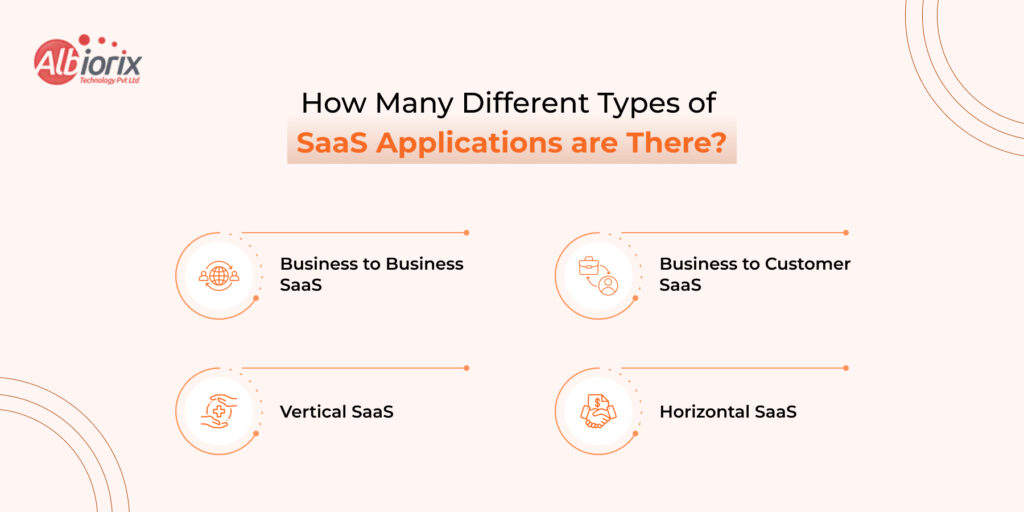
How Many Different Types of SaaS Applications are There

Mainly, in 2026, there are four types of SaaS applications for businesses. They are B2B SaaS, B2C SaaS, Vertical SaaS, and Horizontal SaaS. Businesses can adopt and integrate them as per their business requirements.

  • B2B SaaS: Businesses buy these types of SaaS applications. They have higher contract values, longer sales cycles, and more emphasis on integrations and admin controls. Some of the top examples of B2B SaaS applications are Think Salesforce, Slack, and HubSpot.
  • B2C SaaS: These types of SaaS applications are sold directly to consumers. They have high volume, lower price points, and frictionless onboarding is critical. Some examples of B2C SaaS apps are Think Spotify, Duolingo, and Grammarly.
  • Vertical SaaS: Companies build these SaaS applications for a specific industry (healthcare, legal, logistics). Narrower market but higher retention because customers have fewer alternatives.
  • Horizontal SaaS: These SaaS apps support a function used across many industries, like HR, finance, and project management. Larger total addressable market, but more competition.

Choosing the right SaaS app depends on many factors.

If you are unsure what suits your business, consult SaaS development experts at Albiorix Technology.r business, you can consult the SaaS application development experts at Albiorix Technology.

Why SaaS Dominates Software Delivery in 2026?

Businesses in 2026 prefer SaaS applications over traditional software development, and there are many reasons for this.

According to statistics that Globe News Wire shared, the global SaaS market will likely exceed $800 billion by 2030.

Not only have large businesses and organizations moved from on-premise software to cloud-based solutions. Startups and mid-sized businesses have also followed this trend.

It helps them save on investment. It needs less upfront spending. Monthly costs stay predictable. It also lets them start small and scale as the business grows.

For SaaS app development companies, recurring revenue builds compounding value. One-time software sales cannot match it.

How to Develop a SaaS Application: The Full Process

How to Develop a SaaS Application: The Full Process

The process of SaaS application development is a series of careful decisions – each one setting constraints on the next. Therefore, you have to be very calculative with each step.

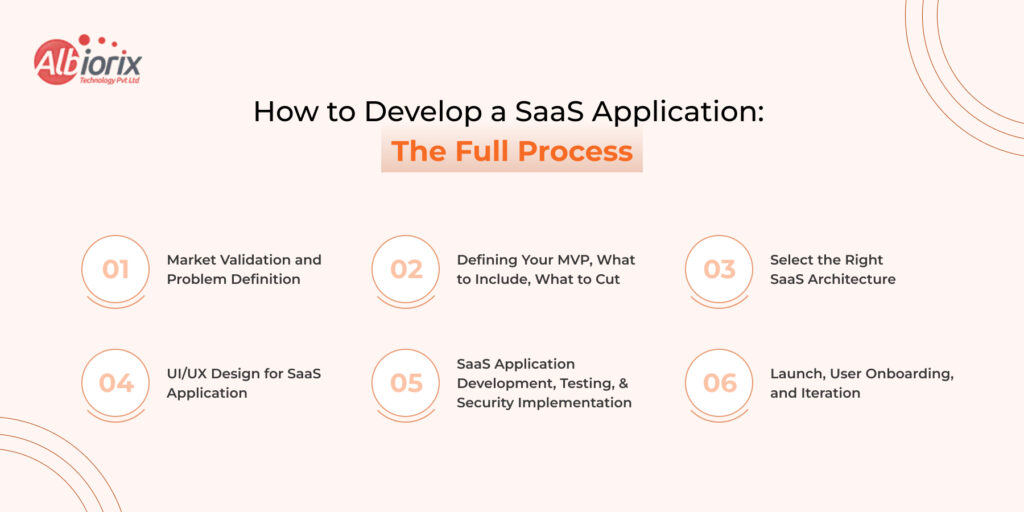
To build a SaaS application successfully, you need to follow these steps:

Step 1: Market Validation and Problem Definition

When you start developing a SaaS application, always answer these two questions:

  • Does this problem actually exist?
  • Are people willing to pay to solve it?

And, to get answers to these two questions, you need to talk to at least 20 potential customers. You have to understand their workflow, their current workarounds, and what they’re willing to pay for the solution.

One common reason SaaS apps fail is that vendors never ask these questions. They end up building an app no one needs.

Step 2: Defining Your MVP — What to Include, What to Cut

Well, once you have answers to both questions and feel satisfied, it’s time for the next step.

That step is building an MVP (Minimum Viable Product).

When you are developing an MVP, make sure it is able to do one task exceptionally well, and not five tasks on average.

A useful note: For every potential feature, ask yourself if it is adding value to your product or not? Will customers get the real value from this feature or not?

Step 3: Select the Right SaaS Architecture (Single-Tenant vs Multi-Tenant)

It is one of the most consequential decisions in SaaS development. The further development of your SaaS application depends on this one decision.

So, to help you decide the right Saar architecture, we have differentiated between them.

  • Single-tenant Architecture: Each customer gets their own dedicated instance. It is more expensive to operate, but required for customers with strict data isolation requirements (government, healthcare, financial services).
  • Multi-tenant Architecture: Multiple customers share the same application instance and database (with logical separation). More cost-efficient, easier to maintain, and update. The standard choice for most SaaS products.

For most startups, multi-tenant architecture is the right option. Build for single-tenant only if your target customers genuinely demand it.

To see how these principles map to cloud systems, check out our comprehensive breakdown of web application architecture structures.

Step 4: UI/UX Design for SaaS Application

In SaaS application development, design is not decoration; it is retention. The design must be engaging, attractive, and able to add the “aha effect” to your product.

It is because if the user does not see the value at first, they may cancel the subscription. They may also ignore your SaaS app.

Therefore, for SaaS UI/UX design, use a clean, guided onboarding flow.

Include progress indicators, empty-state guidance, and in-app tooltips. You can also add a dashboard that shows the user their important data at a glance.

Most importantly, always add an intuitive navigation that can reduce cognitive load.

Step 5: SaaS Application Development, Testing, and Security Implementation

Once you have decided on the architecture, it is time to kick start the SaaS development. 

Key practices that separate production-ready SaaS from a prototype:

  • Feature flags: Deploy code to production without activating it for all users. Enables safe rollouts and A/B testing.
  • Automated testing: Unit, integration, and end-to-end tests that catch regressions before they reach users
  • Security by design: Input validation, proper authentication flows, encrypted data at rest and in transit — not bolted on at the end
  • CI/CD pipelines: Automated deployment pipelines that let you ship updates multiple times per day safely

Step 6: Launch, User Onboarding, and Iteration  

If you think that your job is done after developing and launching your SaaS application, then you are wrong. It is a fresh start.

The job starts when real users use your product. They show what’s wrong, what’s confusing, and what they need next.

Set up product analytics (Mixpanel, Amplitude, or PostHog) from day one. Track activation, engagement, and churn signals. Talk to users who cancel. The product that ships on launch day should look meaningfully different six months later — and that’s a good thing.

Need experts to help you build a future-proof, scalable, and powerful SaaS application?

We can help. Partner with the team of experienced SaaS developers to bring your ideas to life.


Get a free quote

SaaS Application Architecture: Things You Must Know 

Microservices vs Monolithic Architecture for SaaS

It is a topic of discussion, but according to the SaaS app development experts, you must start with a monolith. Here’s the reason why. 

A monolithic architecture puts all your application code in one deployable unit. Moreover, it is simple to build, debug, and deploy. If you want to launch your product early, then it is the perfect architecture. 

Many top-rated and successful SaaS companies, like Shopify, Basecamp, and Stack Overflow, use monolithic architecture. 

Now, let’s discuss the use of Microservices architecture. 

Microservices architecture breaks the application into independent services that communicate via APIs. It’s more resilient and scalable, and it lets teams work independently. But it’s much more complex to build and run. 

You can consider microservices when your product and team have grown to the point where the monolith is causing problems. 

Multi-Tenancy Explained: Shared Database vs Isolated Instances

Within multi-tenant SaaS, there are two common patterns: 

  • Shared database, shared schema: All tenant data lives in the same tables, differentiated by a “tenant_id” column. Most cost-efficient, but requires rigorous query isolation.
  • Shared database, separate schemas: Each tenant gets their own schema within the same database. Better isolation, slightly more overhead. 
  • Separate databases per tenant: Maximum isolation, highest cost. Typically used only for enterprise customers or regulated industries.

API-First Design: Why It Matters for SaaS Integrations

In 2026, your SaaS product doesn’t live in isolation; it lives inside a customer’s tech stack. Building API-first from the start means your product can integrate with the tools and systems your customers are already using. It can dramatically increase stickiness and reduce churn.

Another reason to use an API-first approach is that it makes it easier to build mobile apps. It also helps you add third-party integrations and a public developer ecosystem later. All these without rearchitecting your existing backend.

Cloud Infrastructure for SaaS: AWS, Azure, and GCP Compared

With many options in the market, finding the right cloud solution is important for your SaaS product. Mainly, there are three service providers, and they are AWS, Azure, and GCP.

To help you find the right cloud services for your SaaS application, we have compared all three in the table below. 

Factor AWSAzure GCP
Market Share Largest (~32%). Second (~22%). Third (~11%). 
Best forBroad SaaS use cases. Microsoft-stack businesses.Data/ML-heavy products.
Pricing Competitive, complex Competitive, enterprise discountsOften cheaper for compute
Managed ServicesMost comprehensive Strong for enterprise Strong for data workloads

Most SaaS application development companies prefer Amazon Web Services (AWS) to host an application. It is because AWS offers a great maturity and breadth of managed cloud services.

Azure is a great choice for hosting a SaaS app.

This is true if your customers rely heavily on Microsoft services. GCP is worth considering if your product has heavy data processing or ML components.

Technology Stack for SaaS Application Development in 2026

Technology Stack for SaaS Application Development in 2026

Well, choosing the right technology stack is very important for the success of your SaaS applications. But, selecting the suitable technology is not an easy process.

According to SaaS app developers at Albiorix Technology, do not always choose the “best” technology. Pick the technology that fits your team, goals, product, and audience. 

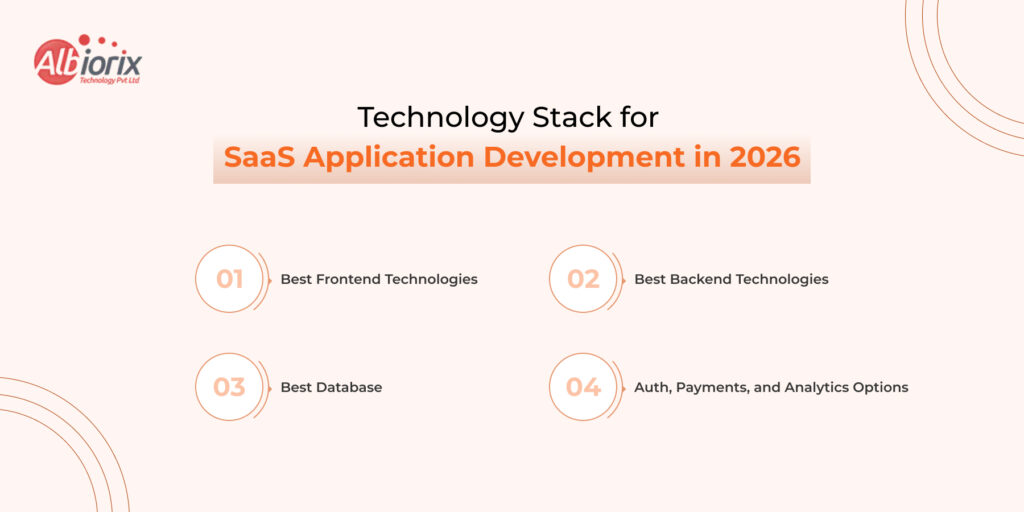
Here’s the detailed breakdown of tech-stack for SaaS application development in 2026:  

Best Frontend Technologies for SaaS Development in 2026:

For a powerful and engaging dashboard of your SaaS application, you can consider technologies such as React and Angular. 

  • Amid so many frontend technologies, React remain the best option to develop the frontend of a SaaS application. It is backed by a huge ecosystem. If you want a fast, responsive dashboard, you can hire ReactJS developers to build it.
  • If you are building a SaaS app for a large and complex enterprise, Angular is a great choice. It offers a more structured framework. It helps in reducing the decision fatigue across teams.
  • For full-stack SaaS, Next.js (React-based) is increasingly the go-to technology. Its server-side rendering and API routes ensure excellent performance.

Best Backend Technologies for SaaS App Development in 2026

For a secure and scalable backend, you can consider Node.js, Python (FastAPI), and .NET for SaaS APIs. 

  • Node.js backend development is a great choice for real-time features and high-traffic APIs. It also suits teams that want JavaScript across the full stack.
  • Python (FastAPI) is the perfect option when your SaaS has significant data processing, ML features, or analytics pipelines. FastAPI’s async performance is excellent.
  • .NET (C#) is a strong backend choice for enterprise SaaS.
  • It works especially well when selling to Microsoft-stack businesses. 

Best Database for SaaS Application Development in 2026

For databases, you have options such as PostgreSQL, MongoDB, and Multi-Tenant Schema Design. 

  • PostgreSQL: The workhorse of SaaS databases. ACID-compliant, strong JSON support, row-level security for tenant isolation, and scales beyond most startups’ needs.
  • MongoDB: Good for products with highly variable data structures (content platforms, document management). Not the right default for relational data.  

For multi-tenant SaaS, PostgreSQL with row-level security is generally the cleanest implementation.  

Auth, Payments, and Analytics Options for SaaS Development

There is no need to build anything from scratch. There are many third-party tools and APIs for authentication, payments, performance analysis, and error monitoring. You can easily integrate them into your SaaS product instead of building one from scratch.

  • Authentication: For authentication, you can use Auth0, Clerk, or Supabase Auth. Building auth is a security liability, not a competitive advantage.
  • Payments & subscriptions: You can use Stripe. Its subscription management, invoicing, and tax handling will save you months of development. Review our core developer tips on handling payment gateway integration to avoid transaction errors.
  • Product analytics: For product analytics, you can use Mixpanel, Amplitude, or PostHog (self-hostable). You need behavioral data from day one.
  • Error monitoring: For error monitoring, you can use sentry. You need to know when things break before your customers tell you.

If you have any problems building your first SaaS application, then help is just a call away.

Talk to our experts to get instant solutions.


Talk to our Experets

SaaS Security, Compliance, and Data Privacy in 2026

When you are building a large-scale SaaS application, security is not just a feature to be added at the end of the development. It has to be discussed and implemented from the very first day. 

And in 2026, customers increasingly expect proof of your security posture before signing a contract. 

Data Isolation and Tenant Security in Multi-Tenant SaaS

  • The biggest security risk in multi-tenant SaaS is one tenant accessing another tenant’s data. This is called a “tenant data leak.” You can prevent it by: Enforcing “tenant_id” checks at every data query (never just at the API layer).
  • You can use PostgreSQL’s Row Level Security (RLS) policies as a database-level enforcement layer. 
  • You can implement comprehensive automated testing for cross-tenant data access scenarios. 
  • You can implement regular penetration testing by external security teams. 

GDPR, SOC 2, and HIPAA Compliance for SaaS Products

The compliance requirements your product needs depend on who you’re selling to:

  • GDPR: It is required if you process data from EU residents. Core requirements: data processing agreements, user consent mechanisms, and right to deletion.
  • SOC 2 Type II: The de facto standard for B2B SaaS in the US and UK. Required by most enterprise buyers. Covers security, availability, processing integrity, confidentiality, and privacy.
  • HIPAA: You must comply if you handle protected health information (PHI) in the US. Involves technical, administrative, and physical safeguards.

Even if you don’t need all of this on day one, design your data model and access controls for compliance now. It will help you avoid a painful rebuild later.   

Common SaaS Security Vulnerabilities and How to Prevent Them

  • Broken access control: The #1 OWASP vulnerability. Test every API endpoint for proper authorization, not just authentication.
  • For a full checklist to protect your cloud data, see our guide.
  • It covers web application security best practices.
  • Insecure direct object references: Users should not change a record ID in a URL. They should not access someone else’s data.
  • Injection attacks: Use parameterized queries. Always.
  • Insecure dependencies: Run automated dependency scanning (Snyk, Dependabot) and update packages regularly.
  • Missing rate limiting: APIs without rate limiting are vulnerable to credential stuffing and data scraping.

How Will You Price Your SaaS Product? 

According to SaaS experts at Albiorix Technology, you can price your SaaS product using five key models.

These include per-seat, usage-based, freemium, flat-rate, and tiered pricing. The table below further explains them.

However, you must be fair with the price of your SaaS product. It is one of the most important decisions in SaaS that will determine the future of your product.

The good news is you can change your product price anytime.

The bad news is price changes can seem dull.

They can also slow or stop your SaaS product’s growth.

So, if you don’t know how to price your new SaaS app, refer to the table below.

If you want ideas for pricing your SaaS product, refer to the table below. We have provided a detailed comparison of Pre-Seat, Usage-Based, Freemium, Flat-Rate Pricing, and Tiered.

Per-Seat, Usage-Based, Freemium, Tiered, and Flat-Rate Pricing Compared

ModelHow it Works Best for Watch Out for
Per-seatPrice per user/monthCollaboration tools, team software Customers sharing logins to reduce seats
Usage-basedPrice by consumption (API calls, GB, events)Developers tools, infrastructure SaaSUnpredictable revenue, customer bill shock
Freemium Free tier+paid upgradeHigh-volume consumer of PLG SaaSFree users who never convert; high support cost
Flat-rateOne price for everything Simple products, early-stage validationLeaves money on the table as customers grow
TieredMultiple plans at different price pointsMost B2B Saas, Too many tiers create decision paralysis

In 2026, most SaaS vendors prefer Tiered Pricing. The latter has 3 different plans (Starter, Growth/Pro, and Enterprise) to meet unique business requirements. Customers are free to choose a plan of their choice, and scale up as their business grows.

How to Validate Your Pricing Model Before Launch

When you are validating the price of your SaaS model, do not depend on the guess work. During customer discovery, test pricing reactions directly: 

  • The “that’s too cheap” / “that’s too expensive” test: Ask users what price feels too cheap. Ask what price feels too expensive. Ask what price feels like a good deal. The answers draw a viable pricing window.  
  • Run pricing experiments: Show different user segments different pricing pages and measure conversion.
  • Talk to churned customers: If they left, was price a factor? What were they willing to pay?

Common SaaS Pricing Mistakes That Kill Early Growth

  • Underpricing to win customers: Cheap pricing attracts price-sensitive customers who churn the moment a cheaper alternative appears. Charge what the value is worth.
  • Too many pricing tiers: Three is the sweet spot. More than four creates confusion and paralysis.
  • No annual plan option: Annual billing improves cash flow dramatically and reduces churn. Offer a 10–20% discount for annual commitment.
  • Ignoring expansion revenue: Your pricing should naturally grow with the customer’s usage. If a customer is getting 10x the value but paying the same amount, you’ve left money on the table.

How Much Does SaaS Application Development Cost?  

How Much Does SaaS Application Development Cost

The cost of SaaS application development ranges from between $15,000 to $250,000+ based on the scope and complexity.

Let’s put real numbers on it, because vague answers don’t help you plan.

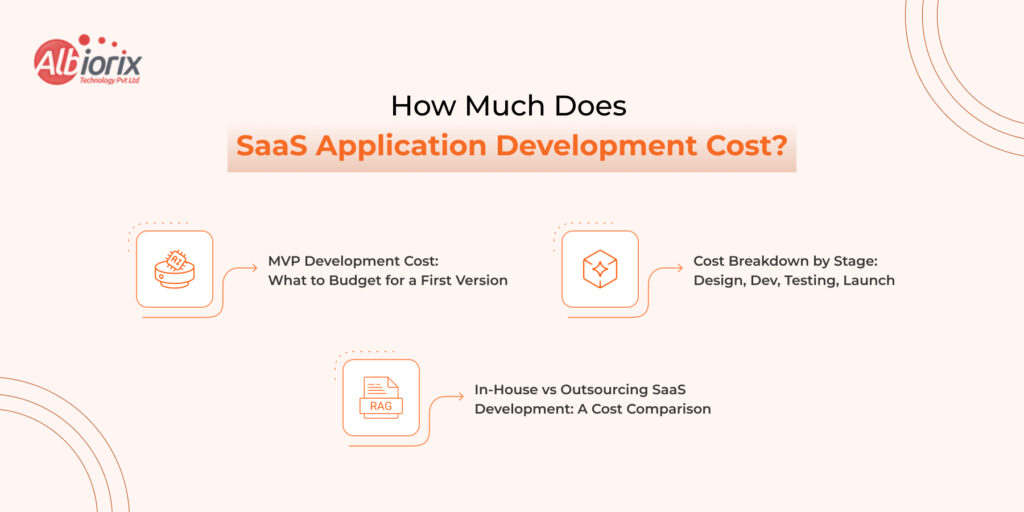
MVP Development Cost: What to Budget for a First Version

MVP TypeScopeEstimated Cost
Simple MVPCore feature, basic auth, minimal UI$15,000 – $40,000
Mid-complexity MVP Multi-role access, integrations, custom dashboard$40,000-$100,000
Complex MVPReal-time features, advanced data models, compliance requirements$100,00-$250,000+

These ranges assume a dedicated development partner in India. US/UK-based teams would run 2–3x higher.  

Cost Breakdown by Stage: Design, Dev, Testing, Launch  

For a mid-complexity MVP (~$60,000 total):  

  • UI/UX Design — 15% (~$9,000): Wireframes, design system, user flows  
  • Frontend Development — 25% (~$15,000): React/Next.js UI, component library  
  • Backend Development — 35% (~$21,000): APIs, database, auth, business logic  
  • Testing & QA — 15% (~$9,000): Automated tests, manual QA, security review  
  • DevOps & Infrastructure — 10% (~$6,000): CI/CD, cloud setup, monitoring  

In-House vs Outsourcing SaaS Development: A Cost Comparison

FactorIn-house TeamOutsourced Partner
Monthly cost (5-person team)$50,000-$120,000+$15,000-$40,000
Time to first line of code2-4 months (hiring)1-2 weeks
Scalability Slow, HR-dependentFast, on-demand
Domain expertiseBuild graduallyImmediate access
Best for Long-term core productMVP, fast iteration, augmentation

For early-stage and growth-stage companies, outsourcing to a specialist development partner speeds time-to-market.

It also costs far less than building an in-house team.

Building Your SaaS Product with Albiorix Technology  

You’ve just read what it takes to build a SaaS product.

That includes architecture decisions, stack choices, pricing models, security needs, and scaling challenges.

It’s a lot. And doing all of it well, simultaneously, while also running a business or validating a product, is genuinely hard.

Albiorix Technology is built exactly for that.

Albiorix Technology is a SaaS development company in India with clients from Australia, Germany, the UK, and the US. With over 10 years of industry experience, we build SaaS apps.

We have a team of 100+ skilled professionals.

We deliver top SaaS app development services.

Whether you work in healthcare, eCommerce, entertainment, or finance, we have hands-on experience in each domain. Our cross-domain experience can be an added advantage for custom SaaS application development.

Stop Planning. Start Building. Your SaaS Product Deserves a Team That’s Done This Before.

Every week you spend searching for developers and reviewing portfolios, then stop doing it. Your market window is open right now, and the best time to move is today. 

At Albiorix Technology, we don’t just write code. We build SaaS products from the ground up. We handle architecture, development, security, testing, and deployment. You can focus on your product vision and your customers.

What We Bring to Your SaaS Build

When you get in touch with us for custom SaaS application development, we bring our decade of experience to the table. Below are the Albiorix advantages of SaaS development: 

End-to-end SaaS development expertise:  

  • You get access to full-stack development with React, Next.js, Node.js, Python (FastAPI), and .NET. 
  • You get a multi-tenant architecture design that scales from 10 customers to 10,000  
  • You get SaaS applications with database design & optimization (PostgreSQL, MongoDB) built for SaaS data models.
  • Secure setup of auth, payments (Stripe) methods, and analytics integrations from day one. 
  • You get cloud infrastructure on AWS, Azure, or GCP with CI/CD pipelines and monitoring. 

Security and compliance built in, not bolted on:  

  • We implement GDPR-ready data models and consent flows.
  • You get SOC 2 preparation support for enterprise-ready products.
  • We ensure HIPAA-compliant architecture for healthcare SaaS.

A partnership model, not a vendor relationship:  

  • We work inside your tools and follow your sprint structure.
  • We provide weekly progress updates with transparent communication.
  • We have flexible engagement models, including fixed-scope MVP, monthly retainer, or team augmentation.
  • We offer timezone-friendly collaboration across the US, UK, and European time zones. 

Our SaaS Track Record Speaks for Itself  

In the last ten years, we have helped startups and mid-sized businesses from the USA, Australia, and Germany launch MVPs in under 12 weeks and without draining their bank accoWe have also helped enterprise teams add SaaS delivery models to existing software businesses.

We have delivered SaaS solutions for healthtech, fintech, edtech, logistics, and more.

Three Ways to Work with Us:

  • MVP Build: You have an idea and a target market. Being among the top-rated SaaS development companies, we can help from validating concepts to a production-ready MVP. It might take around 8–14 weeks.  
  • Product Development Retainer: Your MVP is live, and you need to keep building. We become your dedicated product development team — shipping features, fixing bugs, and growing the product alongside you.  
  • Team Augmentation: You have an in-house team to build a SaaS product, but a team to accelerate the development process. You can hire SaaS developers from Albiorix Technology to work with your team. It will help you fill gaps, accelerate delivery, and maintain code quality.
     

Conclusion

If you have a SaaS product idea and don’t know where to start, just call us. We are an end-to-end SaaS product development company. We help from ideation to final deployment and ongoing maintenance.

We can help you generate ideas, find your target audience, lower development costs, and meet your timeline. Get in touch with us. We will map out a realistic SaaS app development plan. You will get clear cost estimates and a practical timeline.