






Table of Content
- What is a Web Application?
- Website vs Web Application
- Top 15+ Web Application Examples of 2026
- Web Application Examples by Industry
- What Makes a Successful Web Application?
- How to Build a Web Application
- How Much Does It Cost to Build a Web Application?
- Why Build a Custom Web Application?
- Why Choose Albiorix Technology for Web Application Development?
- Conclusion
Web applications are now an essential part of modern life—helping us connect, shop, and work smarter. From social media platforms to advanced e-commerce sites, they’re reshaping how we interact with technology daily.
In fact, statista reports that the global web app development market is projected to hit $234.70 billion by 2028, growing at a 7.04% CAGR. This rapid growth highlights their impact and future potential.
Whether you’re a business owner looking to boost customer experience or a developer aiming to stay ahead of the curve, web applications offer powerful tools and endless innovation.
As experts in digital trends, we’ve explored the most inspiring examples—designed to showcase real-world functionality, creativity, and industry authority you can trust. Curious which apps are leading the charge? Let’s dive in.
Key Takeaways
- Web applications are interactive software products accessed through a web browser.
- Popular examples include Gmail, Google Docs, Slack, Figma, Canva, Shopify, Amazon, and Netflix.
- Web apps can be built as SaaS platforms, e-commerce applications, portals, PWAs, SPAs, enterprise applications, and more.
- The right web application type depends on business goals, users, workflows, integrations, security, and scalability.
- Successful web apps focus on usability, performance, security, personalization, and reliable backend infrastructure.
- Businesses can use custom web applications to automate workflows, centralize data, and deliver specialized digital experiences.
What is a Web Application?
Web application development refers to the process of creating software programs that run on a web server and are accessed via a web browser.
These applications are used for everything from online shopping and social media to banking and project management tools. If you’ve ever used Gmail, Facebook, or an online store, you’ve interacted with a web app.
The development process involves two key components: front-end and back-end development. The front-end is the visual part users interact with—built using HTML, CSS, and JavaScript.
On the other hand, back-end development is where all the behind-the-scenes work happens. It includes writing server-side logic, handling databases, and ensuring secure, smooth functionality using languages like PHP, Python, or Java.
As experienced developers know, choosing the right tech stack and architecture is crucial to building fast, scalable, and secure applications. From simple static apps to advanced single-page or progressive web apps, each type serves unique needs.
Trustworthy web application development ensures user-friendly experiences, strong data protection, and performance optimization. When done right, it becomes a powerful tool for businesses and users alike.
Whether you’re planning to build a customer portal or an internal tool, understanding both front-end and back-end development is key to success in today’s digital world.
Build Responsive Web Applications With Our Web Development Services
We help you design and build high-performing business websites using leading technology stacks that empower your business productivity.
Website vs Web Application
Although the terms are often used interchangeably, websites and web applications serve different primary purposes.
| Website | Web Application |
|---|---|
| Primarily provides information | Enables users to perform tasks |
| Usually content-focused | Usually functionality-focused |
| Limited personalization | Personalized user experiences |
| Interaction may be minimal | Highly interactive |
| Login may not be required | Login is often required |
| Example: Company website | Example: Gmail |
| Example: Blog | Example: Trello |
A business can also combine both. For example, an e-commerce company may have informational pages for SEO and a web application for accounts, shopping carts, payments, order management, and customer support.
Types of Web Applications
Understanding the different types of web applications helps businesses choose the right approach for their product.
1. Static Web Applications
Static applications deliver relatively fixed content and are suitable for simple use cases where users don’t need complex interactions.
Best for: Portfolios, landing pages, basic informational experiences.
2. Dynamic Web Applications
Dynamic applications generate and personalize content based on user activity, database information, or business rules.
Best for: Social platforms, dashboards, personalized services, and content-driven applications.
3. Single-Page Applications (SPAs)
SPAs dynamically update content without repeatedly loading entire pages. This creates a smooth, app-like experience.
Examples: Gmail and many modern SaaS dashboards.
Best for: Productivity tools, dashboards, collaboration platforms, and highly interactive products.
4. Multi-Page Applications (MPAs)
MPAs use multiple pages and are useful when a product contains large amounts of structured content or functionality.
Examples: Large e-commerce and enterprise platforms.
Best for: E-commerce, publishing, marketplaces, and large websites requiring strong search visibility.
5. Progressive Web Applications (PWAs)
PWAs combine web accessibility with selected app-like capabilities such as installation, offline functionality, and notifications.
Best for: Mobile-first products, retail, travel, content, and services that need broad device accessibility.
6. E-Commerce Web Applications
These applications support product discovery, shopping carts, payments, order management, customer accounts, and related workflows.
Examples: Amazon and Shopify.
7. SaaS Web Applications
SaaS applications deliver software functionality through the browser, generally using subscriptions or other recurring business models.
Examples: Slack, Notion, Canva, and project management platforms.
8. Enterprise Web Applications
Enterprise web applications support complex business processes such as CRM, ERP, HR, analytics, supply chain management, and internal operations.
Best for: Organizations that need centralized workflows, integrations, permissions, reporting, and scalability.
Top 15+ Web Application Examples of 2026
Web applications are software programs that run on web browsers and are accessed over the internet. They provide interactive experiences for users and can perform a wide range of functions. Here are some prime examples of web applications.
Let’s explore each web application examples in detail along with its usage. These are just a few examples, and web applications can cover a wide range of industries and functionalities, catering to various needs and interests of users.
1. Google Docs — Online Collaboration
Google Docs demonstrates how browser-based software can support real-time document editing and collaboration.
Key features:
- Real-time collaboration
- Comments and suggestions
- Version history
- Sharing and permissions
- Cloud-based storage
Business lesson: If your product involves collaboration, real-time synchronization and simple sharing can become major differentiators.
2. Gmail — Communication and Productivity
Gmail is a strong example of a cloud-based productivity web application. Users can send, organize, search, and manage email from almost any device.
Key features:
- Email management
- Search
- Filters
- Attachments
- Notifications
- Account synchronization
Business lesson: Powerful search, automation, and personalization can make repetitive workflows significantly more efficient.
3. Slack — Team Communication
Slack combines messaging, channels, file sharing, integrations, notifications, and collaboration into one browser-accessible platform.
Business lesson: Integrating multiple workflows into one centralized interface can increase product value and user retention.
4. Trello — Project Management
Trello uses boards, lists, and cards to help teams visualize and manage work.
Key features:
- Task management
- Collaboration
- Due dates
- Assignments
- Workflow automation
Business lesson: Complex workflows don’t always need complicated interfaces. Good UX can simplify sophisticated business processes.
5. Figma — Browser-Based Design
Figma demonstrates how advanced design and collaboration capabilities can operate directly in a browser.
Key features:
- Real-time collaboration
- Prototyping
- Design systems
- Comments
- Version management
Business lesson: Browser-based products can deliver sophisticated professional workflows without requiring traditional desktop installation.
6. Canva — Online Design Platform
Canva enables users to create graphics, presentations, videos, documents, and other visual content through an intuitive browser interface.
Business lesson: Combining templates, automation, personalization, and an easy interface can make complex tools accessible to non-technical users.
7. Notion — Workspace and Knowledge Management
Notion combines documentation, project management, databases, task management, and collaboration.
Business lesson: Combining related workflows into a unified workspace can increase product stickiness.
8. Amazon — E-Commerce
Amazon demonstrates how web applications can support massive product catalogs, personalized recommendations, shopping carts, payments, order tracking, and customer accounts.
Business lesson: Large-scale web applications need strong search, personalization, performance, security, and scalable infrastructure.
9. Shopify — E-Commerce Management
Shopify provides businesses with tools for managing online stores, products, customers, payments, orders, and integrations.
Business lesson: A successful SaaS web application can become an ecosystem by supporting third-party integrations and extensibility.
10. PayPal — FinTech
PayPal’s web experience allows users to manage payments, transactions, accounts, and related financial activities online.
Business lesson: Security, authentication, reliability, compliance, and user trust are essential for financial web applications.
11. Stripe Dashboard — Payment Management
Stripe’s dashboard gives businesses tools to manage payments, customers, subscriptions, invoices, and financial data.
Business lesson: Business dashboards should transform complex data into clear, actionable workflows.
12. Netflix — Streaming
Netflix uses a browser-based application to deliver personalized entertainment, search, recommendations, profiles, and content discovery.
Business lesson: Personalization can significantly improve engagement when a platform has large amounts of content.
13. Airbnb — Marketplace
Airbnb connects travelers and hosts through search, listings, availability, booking, messaging, payments, and reviews.
Business lesson: Marketplace applications must successfully serve multiple user groups while keeping transactions and communication simple.
14. GitHub — Developer Collaboration
GitHub enables developers to manage repositories, collaborate on code, review changes, track issues, and automate workflows.
Business lesson: Specialized web applications can become powerful platforms when they combine core functionality with integrations and collaboration.
15. Google Drive — Cloud Storage
Google Drive enables users to store, organize, share, and collaborate on files online.
Business lesson: Centralized cloud access can eliminate friction caused by local files and disconnected systems.
16. Zoom Web Experience — Online Communication
Browser-based meeting functionality allows users to join virtual meetings without relying entirely on installed desktop software.
Business lesson: Web applications can remove adoption barriers by making important functionality accessible directly through a browser.
Inspired by These Web Application Examples?
Turn your web app idea into a scalable digital product built around your users, workflows, and business goals:
[Build Your Custom Web Application →]
Web Application Examples by Industry
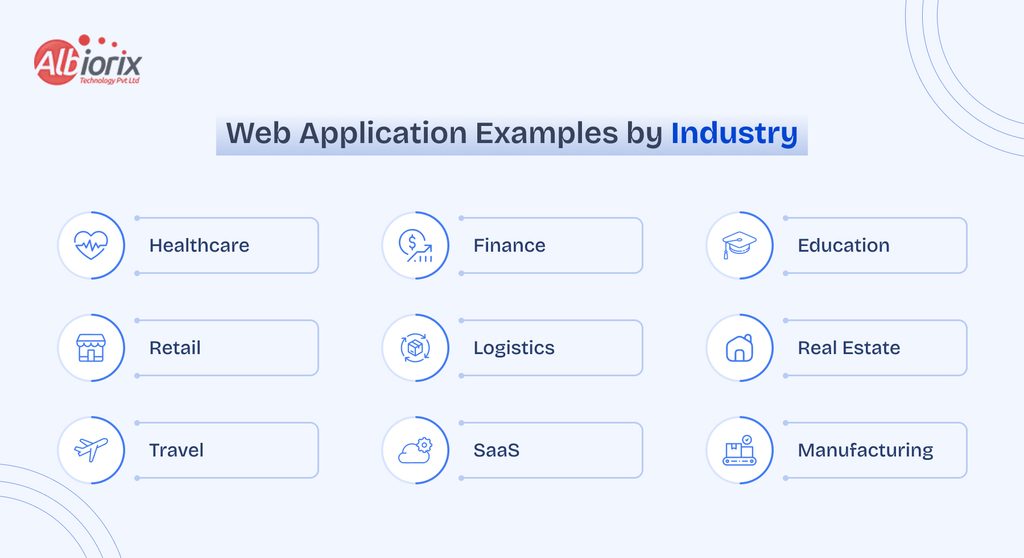
Web applications are not limited to productivity or technology companies. Businesses across industries use them to digitize customer and internal workflows.
| Industry | Web Application Use Case | Example |
|---|---|---|
| Healthcare | Patient portals, appointments, telemedicine | Healthcare portals |
| Finance | Payments, banking, investment dashboards | PayPal, Stripe |
| Education | Learning platforms and student portals | Udemy |
| Retail | E-commerce and customer accounts | Amazon, Shopify |
| Logistics | Tracking and fleet management | Logistics dashboards |
| Real Estate | Property search and management | Property portals |
| Travel | Booking and reservation platforms | Airbnb |
| SaaS | CRM, HR, project management | SaaS platforms |
| Manufacturing | Operations and inventory management | Enterprise portals |
What Makes a Successful Web Application?
Looking at leading web application examples, several patterns consistently stand out.
User-Centered Design
Users should be able to understand the interface and complete important tasks with minimal friction.
High Performance
Slow applications create poor experiences. Performance optimization should be considered from architecture and database design through frontend delivery.
Scalability
A web application should be able to handle increasing users, transactions, data, and integrations without requiring a complete rebuild.
Strong Security
Authentication, authorization, encryption, secure APIs, vulnerability testing, and appropriate data protection are essential for production applications.
Personalization
Personalized dashboards, recommendations, notifications, and workflows can make an application more valuable to individual users.
Integration
Modern applications rarely operate in isolation. APIs and third-party integrations allow businesses to connect payments, communication, analytics, CRM, ERP, AI, and other services.
How to Build a Web Application
Building a successful web application requires more than selecting a programming framework.
A typical process includes:
1. Define the business requirements
Identify users, workflows, goals, features, integrations, and success metrics.
2. Plan the UX and architecture
Design user journeys, interfaces, system architecture, APIs, database structures, and security requirements.
3. Develop the application
Build the frontend, backend, APIs, database, authentication, and integrations.
4. Test and secure the product
Conduct functional, performance, usability, security, and compatibility testing.
5. Deploy and monitor
Deploy the application to suitable cloud infrastructure and monitor performance, availability, errors, and security.
6. Improve continuously
Use analytics and user feedback to prioritize improvements and new capabilities.
How Much Does It Cost to Build a Web Application?
The cost of building a web application varies significantly based on its complexity, features, design requirements, integrations, technology stack, security requirements, and development team.
A simple application with basic functionality may require a relatively small development effort, while an enterprise platform with complex workflows, AI capabilities, real-time features, integrations, and advanced security can require substantially more investment.
Instead of choosing a development budget based only on the number of features, businesses should evaluate the application’s expected users, business value, scalability requirements, and long-term maintenance costs.
Planning Your Web Application Budget?
Get a project-specific estimate based on your features, complexity, integrations, technology requirements, and scalability goals:
Get a Web App Development Estimate
Why Build a Custom Web Application?
Off-the-shelf software can work well for standardized processes. However, businesses with unique workflows may benefit from a custom web application designed around their specific requirements.
A custom solution can provide:
- Business-specific workflows
- Custom user roles and permissions
- Integration with existing systems
- Scalable architecture
- Specialized dashboards
- Automated processes
- AI-powered functionality
- Greater control over data and features
The objective should not simply be to build more software. It should be to build a digital product that solves a measurable business problem.
Why Choose Albiorix Technology for Web Application Development?
Building a scalable web application requires expertise across product strategy, UX, frontend development, backend engineering, APIs, cloud infrastructure, security, testing, and ongoing optimization.
Albiorix Technology helps businesses turn web application ideas into scalable digital products by combining product development expertise with modern web technologies and AI capabilities.
Whether you need a SaaS platform, customer portal, enterprise application, e-commerce solution, dashboard, or custom business application, the development approach should begin with your business goals and user requirements.
Have a web application idea? Talk to our web development experts to evaluate your requirements, architecture, technology stack, and development roadmap.
Conclusion
Web applications have revolutionized the way we interact with the internet, and in this blog article, we explored outstanding examples of web applications that are pushing the boundaries of modern web development.
From social media platforms that connect people around the world to e-commerce websites that provide seamless online shopping experiences, these web applications showcase the power of innovation and creativity in the digital realm.
We discussed the features and user experience of each web application, as well as the technologies used to develop them.
These examples serve as an inspiration for businesses and developers alike, showing the limitless possibilities of website development process and how it can enhance various aspects of our daily lives.
And if you’re in search for the best web development company that helps you build robust web apps just like the web application examples that we discussed in the article, feel free to contact Albiorix.
Connect with Our Experts!
FAQ
Frequently Asked Questions
A web application is interactive software accessed through a web browser. Unlike a traditional informational website, it allows users to perform tasks, manage data, communicate, make transactions, or use specialized functionality.
Popular examples include Gmail, Google Docs, Slack, Trello, Figma, Canva, Notion, Amazon, Shopify, PayPal, Netflix, Airbnb, GitHub, and Google Drive.
Common types include static, dynamic, single-page applications, multi-page applications, progressive web applications, SaaS applications, e-commerce applications, portals, CMS platforms, and enterprise web applications.
A website primarily delivers information, while a web application allows users to interact with data and perform tasks. Gmail is an example of a web application, while a simple company information page is generally a website.
Businesses use web applications for e-commerce, customer management, payments, communication, project management, healthcare, education, logistics, analytics, internal operations, and SaaS products.
Web application development costs depend on the product’s complexity, features, integrations, design, security, technology stack, team composition, and development timeline. A clear requirements analysis is needed to produce a reliable estimate.
Published Blogs
Latest Blogs : Insights and Innovations from Our Blog
Stay Ahead in Tech: Dive into our Blogs for the Latest in Software, Web, and Mobile App Development. Explore cutting-edge technologies, industry trends, and insightful updates that keep you at the forefront of the digital landscape


Our Clients

Client Showcase: Trusted by Industry Leaders
Explore the illustrious collaborations that define us. Our client showcase highlights the trusted partnerships we've forged with leading brands. Through innovation and dedication, we've empowered our clients to reach new heights. Discover the success stories that shape our journey and envision how we can elevate your business too.










We’re here to help you


