




NativeScript vs React Native: Find The Best One To Choose?

NativeScript and React Native are both widely used for building cross-platform mobile apps. NativeScript lets you use Angular, Vue, or JavaScript to access native APIs directly, offering deeper integration with device features.

Many businesses choose to Hire React Native Developer when they want to build scalable apps with JavaScript and React, since React Native, developed by Meta, creates a native-like user experience while reusing code across platforms.

If you prefer a flexible tech stack and full native access, NativeScript might be ideal. But if you value community support, fast development, and a rich ecosystem, React Native is a strong choice.

Key Takeaways

  • NativeScript and React Native are both popular frameworks for building cross-platform mobile applications.
  • React Native uses JavaScript and React, a popular JavaScript library for building user interfaces. On the other hand, NativeScript supports multiple native languages, including JavaScript, TypeScript, and Angular.
  • React Native uses native UI components provided by the platform (such as UIButton on iOS or Button on Android) and renders them using JavaScript.
  • NativeScript, on the other hand, allows developers to build UI components using native platform APIs (iOS and Android APIs) directly, offering more control over the UI and potentially better performance.
  • We’ve covered general points of differentiation, and it’s essential to consider specific project requirements, development team expertise, and the target platforms when choosing between NativeScript and React Native.

What is NativeScript?

NativeScript is a free and open-source mobile app development framework that lets you build native apps for iOS and Android using web technologies like JavaScript, TypeScript, and CSS.

It’s especially helpful for developers who already have experience with web development and want to expand into mobile app development services without learning a completely new language.

One of NativeScript’s key features is its ability to access native device APIs directly, without using a WebView. This means the apps you create feel and perform like real native apps, offering smoother user experiences and better performance.

Another strength of NativeScript is its flexibility. It supports popular frameworks like Angular, Vue.js, and even React, so you can work in an environment you’re already comfortable with.

You also get access to a wide range of UI components and plugins, making it easier to build feature-rich apps.

If you’re exploring mobile app development services and want a versatile mobile app development framework that bridges web and native capabilities, NativeScript is worth considering. It blends the ease of web coding with the power of native performance.

Planning To Build A Mobile App For Your Business?

Our mobile application development team is proficient in designing and building robust mobile apps for your business needs.

Contact Us

What is React Native?

React Native is an open-source framework for building mobile applications using JavaScript and React, a popular JavaScript library for building user interfaces.

It allows React Native developers to create native mobile apps that can run on both iOS and Android platforms using a single codebase.

This React Native framework typically uses React Native UI components, which means the resulting native like apps are not simply web apps wrapped in a WebView, but rather a true native app that leverages the device’s capabilities.

It achieves this by translating the JavaScript code into native code, which provides a high-performance user interface and access to device features such as mobile device camera, GPS, and accelerometer.

The core idea behind React Native is “learn once, write anywhere.” Developers familiar with React can use their existing skills to deal with mobile development, eliminating the need to learn a platform-specific programming language or framework.

React Native also enables real native code reuse, where a significant portion of the codebase can be shared between Android and iOS apps, reducing development time and effort.

React Native offers a powerful solution for developing cross-platform mobile applications, combining the benefits of native performance and code reusability, while providing a familiar and productive development experience for JavaScript developers.

React Native vs NativeScript: Advantages and Disadvantages

NativeScript and React Native frameworks are popular for building cross-platform mobile applications. While they have similarities, there are also distinct advantages and disadvantages to consider when choosing between them.

Let’s explore each framework:

Advantages of React Native Framework

  • Wide Community Support: React Native has a vast and active community of developers, which means you can find extensive documentation, tutorials, and even third-party libraries. This support network can be helpful when troubleshooting issues or seeking advice.
  • Code Reusability: React Native allows you to write code once and deploy it on both iOS and Android platforms. This code reusability can significantly reduce development time and effort.
  • Hot Reloading: React Native offers hot reloading, which enables mobile app developers to see the changes they make in real-time without recompiling the entire application. It enhances the development experience and speeds up iteration cycles.
  • Performance: React Native bridges the gap between native and web development. It utilizes native components and optimizes performance, providing an experience similar to that of a native application.
  • Third-Party Component Ecosystem: React Native has a robust ecosystem of third-party components and libraries, allowing developers to leverage existing solutions and save development time.

Disadvantages of React Native

  • Native Dependencies: While React Native supports many native features out of the box, there may be cases where you need to integrate specific native components or write Native modules quickly.

    This mobile app development process can be challenging for React Native developers and may require additional setup and configuration for developing React Native apps.

  • Limited Custom UI Components: While React Native provides a wide range of UI native platform components, there might be instances where you require custom UI elements. Building such components might be more complex and time-consuming.

  • Performance Limitations: Although React Native is a cross-platform app development that offers excellent performance for most applications.

    But React Native lacks certain resource-intensive tasks or complex animations might not perform as well as in fully native applications.

Advantages of NativeScript

  • Full Native API Access: NativeScript provides full access to build native mobile apps with APIs (iOS and Android APIs) and capabilities of the underlying platforms, allowing developers to create highly customized and performant native mobile app development.

  • Native UI Components: With NativeScript, you can use native UI components directly in your Native app development. This allows you to take advantage of the platform-specific look and feel, resulting in a more seamless user experience.

  • Code Sharing: NativeScript enables code sharing between web and mobile applications by leveraging existing web development skills. This can be particularly beneficial if you have an existing web application and want to extend it to mobile platforms.

  • Angular and TypeScript Support: NativeScript has excellent integration with Angular and TypeScript, providing a structured and scalable approach to mobile app development for developers familiar with these technologies.

Disadvantages of NativeScript

  • Smaller Community: Compared to React Native, NativeScript has a smaller community, which means you might find fewer resources and community support.
  • Learning Curve: NativeScript requires developers to have a good understanding of the platform-specific APIs and concepts, which might have a steeper learning curve compared to React Native.
  • Performance Optimization: While NativeScript apps can achieve seamless app performance, optimizing performance might require additional effort and expertise, as you have direct access to the native iOS and Android apps.

Ultimately, the choice between React Native and NativeScript depends on your specific project requirements, existing skill set, and preferences.

React Native apps are more suitable if you prioritize code reusability and a larger community, while NativeScript might be a better fit if you require fine-grained control over the native APIs and a seamless integration with Angular and TypeScript.

Related Post: Angular vs React

NativeScript vs React Native: Project Setup

NativeScript and React Native are both popular frameworks for building mobile applications. While React Native uses JavaScript and React, NativeScript allows you to build mobile apps using JavaScript, TypeScript, or Angular.

When it comes to project setup, there are some differences between NativeScript and React Native. Let’s go through the basic steps for setting up a project in each framework:

NativeScript Project Setup

Step 1: Install Node.js

Ensure that Node.js is installed on your system as NativeScript requires it to run. You can download Node.js from the official website and follow the installation instructions.

Step 2: Install NativeScript CLI

Open a terminal or command prompt and install the NativeScript command line interface globally by running the following command:

npm install -g nativescript

Step 3: Create a new NativeScript project

Once the CLI is installed, you can create a new NativeScript project using the following command:

tns create my-app-name

This will create a new directory named my-app-name containing the basic project structure.

Step 4: Select project template

NativeScript provides different project templates to choose from, such as “Blank,” “SideDrawer,” “TabView,” etc. After creating the project, you will be prompted to select a template.

Step 5: Navigate to project directory

Change your current directory to the project directory you just created:

cd my-app-name

Step 6: Add platform(s)

NativeScript allows you to create apps for multiple platforms. You can add the desired platform(s) using the following command:

tns platform add

Replace with the desired platform, such as Android or iOS.

Step 7: Build and run the app

Finally, you can build and run your NativeScript app on a connected device or emulator using the following command:

tns run

Replace with the target platform (e.g., android or ios).

React Native Project Setup

Step 1: Install Node.js

Ensure that Node.js is installed on your system, as React Native requires it to run. You can download Node.js from the official website and follow the installation instructions.

Step 2: Install React Native CLI

Open a terminal or command prompt and install the React Native CLI globally by running the following command:

npm install -g react-native-cli

Step 3:Create a new React Native project

Once the CLI is installed, you can create a new React Native project using the following command:

npx react-native init my-app-name

This will create a new directory named my-app-name containing the basic project structure.

Step 4: Navigate to project directory

Change your current directory to the project directory you just created:

cd my-app-name

Step 5: Start the development server

Run the following command to start the Metro Bundler, which is the development server for React Native:

npx react-native start

Step 6: Add platform(s)

React Native allows you to develop for multiple platforms. You can add the desired platform(s) by following the platform-specific setup instructions provided by React Native.

Step 7: Build and run the app

Once the platform-specific setup is complete, you can build and run your React Native app using the commands provided in the React Native documentation for each platform.

These are the basic steps for setting up a project in NativeScript and React Native. Remember to consult the official documentation and platform-specific guides for more detailed instructions and additional configuration options.

Develop High-Performing Apps using React Native

Our skilled mobile app developers expert in building engaging cross-platform mobile apps that are tailored to business goals.

Contact Us

Related Post: React vs React Native

NativeScript vs. React Native: The Comparison Table

FeaturesNativeScriptReact Native
Platform SupportAndroid, iOS, and web (experimental)Android, iOS, and web (experimental)
LanguageJavaScript, TypeScriptJavaScript, TypeScript
UI FrameworkNative UI componentsNative UI components
PerformanceNative-like performanceNative-like performance
Development SpeedFast development cycleFast development cycle
Code SharingHigh code sharing potentialModerate code sharing potential
Developer CommunityGrowing communityLarge and mature community
Plugins and LibrariesWide range of third-party plugins and librariesVast ecosystem of plugins and libraries
Access to Native APIsFull access to native APIsAccess to most native APIs
Development ExperienceNative development experienceHybrid development experience
Tooling and IDE SupportCLI-based and integrated with popular IDEsCLI-based and integrated with popular IDEs
Learning CurveModerate to steep learning curveModerate learning curve
DocumentationGood documentation and guidesComprehensive documentation and guides
Debugging and TestingBuilt-in debugging and testing toolsBuilt-in debugging and testing tools
Market AdoptionGrowing adoption, but smaller compared to React NativeWidespread adoption and large developer base

Conclusion

In 2026, both NativeScript and React Native remain strong options for mobile app development. React Native, backed by Meta, offers a large community, strong ecosystem, and faster development using React and JavaScript.

It’s ideal for teams familiar with web technologies.

NativeScript, on the other hand, gives direct access to native APIs without using a WebView, resulting in better performance for complex apps. It supports Angular, Vue, and JavaScript.

If your project requires deep native integration, NativeScript may be the better fit. For broader support and quicker development cycles, React Native stands out. Choose based on your team’s skills and project needs.

Consider your project requirements, team expertise, and long-term goals to make an informed decision.

At Albioirx Technology, we focus on understanding the basic requirements of our global clients and render them suitable NativeScript or React Native app development solutions.

Get in touch with our mobile app developers to get best app development solutions.

Best React Native App Development Practices for Business Apps

React Native is an excellent tool for building native mobile apps, but certain best practices should be followed to ensure a smooth development process.

React Native is a great platform for building mobile apps, but certain best practices should be followed to create high-quality apps. This article will discuss some of the standard React Native best practices that will help you create better apps.

Key Takeaways

  • Using state management libraries like Redux or MobX can help manage the application’s state effectively and avoid prop drilling.
  • Employ techniques such as component lifecycle methods, shouldComponentUpdate, and memoization to optimize rendering and improve overall performance.
  • Leveraging native components provided by React Native, such as FlatList or ScrollView, instead of custom implementations can enhance performance and user experience.
  • Implementing robust error handling mechanisms, including try-catch blocks and error boundaries, helps prevent app crashes and provides a better user experience.
  • Keeping up with the latest React Native updates, libraries, and tools is essential to benefit from new features, bug fixes, and performance improvements.
  • These React Native best practices aim to enhance the development process, maintain code quality, and optimize the performance and user experience of React Native applications.

What is React Native?

React Native is a pure JavaScript framework that makes it easy to write real, natively rendering mobile applications for iOS and Android.

Typically based on Facebook’s JavaScript library, React Native helps you build user interfaces,but instead of targeting the browser, it targets iOS and Android platforms .

React Native Best Practices to Follow

After looking at the basics of what is React Native, it’s high time to explore the react native best practices that you must follow. Such react native style best practices help you design and build robust mobile applications for your business needs smoothly.

1. Implementing an Innovative Design System for React Native Application

One of the most challenging factors for developing React Native application is selecting the perfect and regular styling for your business application.

In the React Native app development, you’ll come across the terminology “Design System”, which typically manages the rules and techniques to implement the best apps.

However, to implement the best design system for React Native apps, you need to consider the following factors: Space, Color, and Typography.

  • Analyzing the space for your application: As you’re working on a cross-platform application, it’s quite apparent that the components will have different screen sizes. So, it becomes mandatory to take care of the spacing between them to get the best possible outcome.
  • Selecting the preferred and right colour: Colour selection is the primary option you need to choose when identifying how to use them. The best alternative is to utilise Color Palettes, which make it easy to identify your colours according to your chosen naming standards and streamline your workflow.
  • Typography: One of the best practices of React Native application that we need to follow is working hard on how typefaces affect our application’s performance appearance in the results. So, keep minimized font families, weights, and sizes to get a responsive and unified design.

Develop Robust Mobile Apps using React Native

We have a team of top-notch mobile app developers that are experts in building engaging cross-platform mobile apps for your business.

Contact Us

2. Make a Habit of Using TypeScript Programming Language

TypeScript is nothing but an extended language of JavaScript that includes only type definitions. So, if you’re designing and building React Native applications using TypeScript, it helps reduce the dependency on PropTypes validation and lets you validate any possible errors on time.

PropTypes validation typically occurs only during the runtime component rendering. Also, if a function component receives an incorrect prop, it may cause bugs and errors in your app.

Unfortunately, such errors often remain undetected in the initial stage of building an app in React Native. In addition, Typescript is solely responsible for solving this particular issue while autocompleting the valid values for the components.

Related Post: React vs React Native

3. Use Platform-Centric Styles

One of the common best practice React Native that you can implement is styling your React Native app better. And how is that possible? It’s due to an in-built API (Application Programming Interface) of React Native that helps you write platform-centric codes.

How can you define the platform compatibility for your React Native application? The answer lies in the command “Platform.OS”. It automatically detects a specific OS like Android or iOS and applies suitable styles for that particular platform.

Let’s explore an example to demonstrate the usage of platform-centric styles for your business application.

Copy
flex: 1,

...Platform.select ({

ios: {

fontFamily: 'Arial',

},

android: {

fontFamily: 'Roboto',

},

}),

},

});

4. You Must Follow Strict Naming Conventions

In react coding standards naming styles and practices are essential factors you must consider while building robust React Native applications for your business needs.

The primary goal of strictly following the naming practices is to provide a smooth mobile app development experience.

But how do you achieve such a smooth development experience? You just need to take care of the following parameters with react best practice and you’re good to go.

  • Always use small letters to provide a name to folders and sub-folders.
  • Use a pascal case to give the files’ names inside the folders.
  • You must adopt the path-based function component naming system. It means you need to name the component regarding the relative path of the folder component or to the application directly.
  • If you have files and folders with the same name, you are not required to name them again. For example, the file path components/user/register/Register.js can be efficiently written as UserRegister.js.
  • Always make a habit of giving a class component name and file name the same, as it will help you import.

5. Implementing Static Image Resources

One of the standard best practices of React Native application is managing your static image resources the right way.

In simple words, we can say that your React Native applications need to be capable of handling static image resources as there are more chances of utilizing a lot of time to work with static files.

How would you add a static image to your React Native application? The best react native practices to include the static image in your application is that the image name required is defined statically.

Copy
//An incorrect way: 
var icon = this.props.active ? 'icon-active' : 'icon-inactive';
;


//The Correct Way
var icon = this.props.active 
? require('./icon-active.png')
? require('./icon-inactive.png');
;

6. Creating Aliases in Your Coding Structure

One of the common issues that many React developers face while developing mobile application is dealing with nested imports. So, the best way to eliminate that particular issue is to create aliases in your React Native application.

For example, using ActiveButton from ‘../../Components/Buttons’. Moreover, you can use babel-plugin-module-resolver to create such aliases.

Related Post: Best React UI Frameworks and Component Libraries

7. Always Assign a Unique Key to Each Element

In React or React Native, assigning a unique key can solve many issues that make it harder to work with applications containing React Native components such as Lists.

Now, let us go through a simple example of assigning a unique key to every element mentioned in the React Native application.

Copy
const todoItems = todos.map((todo) =>

{todo.text}

);

8. Dividing Components

Before deep diving into dividing functional components sections, let’s understand what functional components are. It’s a JSX code that depicts what you want to display on your screen.

If you’re dealing with React Native application, one of the standard best practices that you must follow is splitting the platform specific code components into two separate directories: Container component and Plain.

Apart from this common practice, you must instruct your React Native or React Developers to utilize redux hooks and even import components. This is done to deal with styles, types, and, most importantly, reusable components.

Moreover, it is not advisable to import JSX codes directly from RN components into your React Native application. But, the high-order components typically associated with the Redux store and its related elements must be included inside the container component.

Conclusion

You must adopt React Native best practice to develop a top-notch React Native application for your business needs.

Moreover, learning, practising, and implementing mobile applications using React is an easy process, if you strictly follow the React Native best practice.

Still, if you find any challenges in designing and react native app development for your business needs, feel free to contact Albiorix. We’ll provide you with the best possible IT solutions to enhance your business productivity.

React vs React Native: Key Differences That You Need To Know

A big confusion exists in the mind about React and React Native and whether both are the same or not.

To clear the confusion about React and React Native, it becomes of prime importance to understand the basic concept of React Vs React Native in detail.

As per the recent survey by Stack Overflow, it has been estimated that ReactJS is the most popular web framework that is used by many developers.

Key Takeaways

  • React is a JavaScript library used for building user interfaces (UIs) for web applications, while React Native is a framework that allows you to build mobile applications using React and native components.
  • React is primarily designed for web development and can be used to build applications that run in web browsers. React Native, on the other hand, is used for building mobile applications that run natively on iOS and Android devices.
  • React allows code reuse to some extent, as components can be shared between different parts of a web application. However, React Native provides a higher degree of code reuse, as a significant portion of the codebase can be shared between iOS and Android platforms.
  • React utilizes HTML tags and CSS for rendering UI elements in web applications, while React Native uses native components provided by the underlying mobile platforms. This allows React Native apps to have a more native look and feel, closely resembling applications built using native languages like Swift (for iOS) or Java/Kotlin (for Android).
  • React Native apps generally offer good performance due to the use of native components and optimized rendering. However, compared to fully native applications, React Native apps may experience some performance limitations, especially in scenarios requiring complex animations or heavy computational tasks.
  • React development typically requires knowledge of JavaScript, HTML, and CSS, while React Native development requires these skills along with familiarity with the platform-specific languages and tools, such as Objective-C/Swift for iOS or Java/Kotlin for Android.
  • React has a large and mature ecosystem with a wide range of libraries, tools, and resources available for web development. React Native also has a growing ecosystem and community, but it may have fewer options compared to React when it comes to certain web-specific features or libraries.

What is React?

React, or ReactJS is an open-source JavaScript library specifically used to build the user interface for Web Apps. It takes sole responsibility for only the view layer of the application.

In addition, we can say that ReactJS is

  • A library that typically supports both front-end development and server-based configurations.
  • Created by Jordan Walke and his team from Facebook.
  • A new way of rendering pages, leading to responsive and dynamic user input.
  • Responsible for the rendering of UI components.

Planning To Build Feature-rich, Applications?

Albiorix has a team of top-notch app developers that are always ready to build client-centric solutions.

Contact Us

React is beneficial for developers working with a reputed ReactJS development company in many ways, including

  • Developing fast, adaptive, and intuitive mobile and web applications.
  • They can quickly automate the entire design process.
  • They are not bound to strict rules; instead, they can work according to their convenience.
  • Easily plugins and libraries integrations are made possible with existing code.
  • Enables developers to develop fast, scalable, and simple web applications.

Hope you got a clear vision of what is ReactJS. Now, we’ll come across the concept of React Native.

What is React Native?

React-Native is a ReactJS-based framework designed explicitly to develop robust and responsive mobile apps. It is designed to build native mobile applications using reusable components and their react native best practices which will help you create better applications.

Moreover, we can say that React Native is:

  • Used to develop rich mobile UI from declarative components using only JavaScript.
  • A hybrid mobile app development framework that allows you to build mobile apps only with a single code base.
  • A framework that allows building mobile apps natively across different platforms like Android and iOS.

React Native is beneficial for developers working in a React Native App development company in many ways including

  • They can use ReactJS to create mobile apps and web apps.
  • It allows them to easily compile native app components enables them to build mobile applications that can efficiently run on Android, iOS, and Windows devices.
  • The syntax and workflow remain similar to ReactJS, but the components are different.
  • The developers can only target mobile platforms rather than web browsers.

Develop High-Performing Apps using React Native

Our team having expertise in building cross-platform mobile apps that are tailored to your business goals.

Contact Us

Working of React Native Vs React

Now it’s time to explore the working process of the leading technologies: React and React Native. First, let’s start with React framework. To make it concise, ReactJS uses VDOM, while React Native uses API for its working process.

ReactJS’ Virtual DOM

ReactJS typically uses VDOM (Virtual DOM) to create an application’s inspiring user experience (UX). The representation of the web document and its content is done correctly with the help of an external programming interface named DOM.

One effective way to perform DOM management has greatly impacted how libraries and frameworks are used to make the application more secure and robust.

But in the case of React application, Virtual DOM has changed the entire scenario. VDOM is nothing but a visual representation of the real DOM.

While creating dynamic UIs for your application, the primary role of the VDOM is to manage quick updates.

What is the importance of virtual DOM as compared to real DOM?

Importance-of-Virtual-DOM ReactJS

React Native’s API

React Native’s API plays a key role in building strong user interfaces for both Android and iOS apps. For Android, React Native relies on Java APIs to render native components, while for iOS, it uses native APIs and Objective-C to display UI elements.

JavaScript is used to handle the rest of the app’s code, making it easier to customize the app for each platform. This approach helps maximize code sharing and component reuse across Android and iOS.

Unlike ReactJS, React Native does not use HTML or CSS. Instead, styling is done through JavaScript by creating style sheets specifically for React Native components.

Also, React Native uses different component tags compared to ReactJS to fit the mobile environment, making it distinct but efficient for mobile app development.

Let’s see the example of ReactJS.

Copy
function sampleapp ()
{
const element = (
<div>
<p> Welcome to the World!!! </p>
</div>
ReactDOM.render(element, document.getElementById('root'));
}
setInterval (sampleapp,1000);

Now, see the example of React Native.
import React, { component } from ‘react’;
import {text, view} from “react-native”;

Copy
export default class SampleApp extends component
{
render()
{
return 
{
<view>
<text> Welcome to the World!!! </text>
</view>
}
}
}

Related Post: What are the Differences between Vue and React?

Advantages of React Native Vs React

After having a basic understanding of React VS React Native differences along with its working, it’s time to explore how React and React Native will be helpful to you in developing web applications and mobile applications.

Top Advantages of Using React

Top Advantages of Using React
  • DOM (Document Object Model) is a viewing agreement between data inputs and outputs. It works faster than another conventional full refresh model, as virtual DOM refreshes only parts of the page. Moreover, it plays a vital role in enhancing the performance of web applications.
  • With the help of ReactJS, you can effectively use code components multiple times. Such reusable components help you in saving a lot of time in web and mobile application development.
  • The applications developed with the ReactJS framework will make your application SEO-friendly. The rendering of your web pages is performed directly from the server to render browser code, which eventually improves the SEO of your web app.
  • React plays an essential role in the life of developers as it is solely responsible for improving the debugging speed of mobile and web applications.
  • React coding standards are very familiar, even for non-familiar users. It often happens that some framework needs you to learn multiple concepts that are only useful within the framework.

We Have Talented ReactJS Developers For Business App

Albiorix has a certified ReactJS developers that will make your mobile app move to the next level.

Contact Us

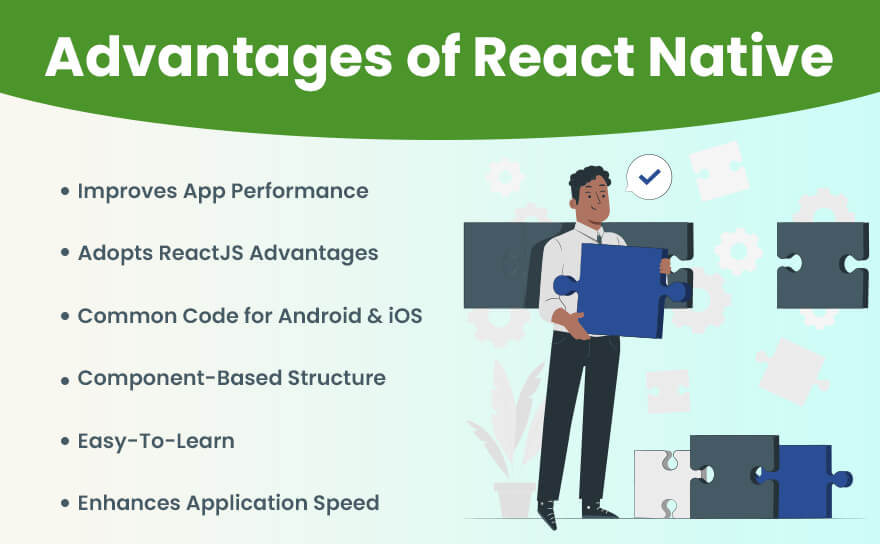
Top Advantages of Using React Native

Top Advantages of Using React Native
  • React Native is vital in improving the application’s performance and is made possible with its Native Modules and Native components. React Native renders specific code components with native APIs, which is not possible with other cross-platform frameworks like Cordova or PhoneGap that typically render code via WebView.
  • React Native is a robust framework that usually comes with all the advantages of React.js. As we know, React.js is a master in dealing with providing a better UI, so those benefits remain.
  • The excellent part about React Native app is that the developers don’t have to develop the same application for iOS and Android separately. It’s because they need to reuse the common logic layer directly.
  • The component-based structure of React Native app typically allows developers to build mobile apps by strictly following a more agile, web-style approach to development than most hybrid frameworks and without any web development at all.
  • If you have a basic understanding of JavaScript technology, React Native will be easy to learn. Moreover, it allows most front-end web developers to be mobile developers. By knowing JavaScript, platform APIs, some native UI components and elements, and any other platform-specific design patterns, you can efficiently adopt React Native platform.
  • With the help of this robust framework, you do not have to refurbish your old app. Instead, add React Native UI components to your existing app’s code without having to rewrite the entire code. Isn’t it great?
  • What’s the primary role of Native app development? Inefficiency, slower time to deployment, and less developer productivity. React Native brings high speed, responsiveness, and agility of web app development along with effectual processing and the best user experience to the hybrid space, to provide your users with a native app experience.

Disadvantages of React VS React Native

After exploring the advantages of React Vs React Native, it’s time to see the drawbacks of both technologies.

Top Disadvantages of Using React

Disadvantages of React
  • Complexity of JSX
    React utilizes JSX (JavaScript XML), an extension or plugin that allows the developers to code HTML programming language in React applications. So, it becomes challenging for the developers to prefer JSX proper documentation, especially for freshers working with React web development.
  • Frequent Library Updates
    With the constant changes in the library for React applications, it becomes pretty difficult for developers to deal with application speed. Moreover, such React improvements are generally occupied by specific libraries and other updates, making the development code less robust.
  • Learning Curve
    Compared to React Native, React takes much more time for developers to learn in a short amount of time. In simple words, the learning curve of React is definitely more, making it a challenging factor for new developers to create an application using React UI Frameworks.
  • Third-Party Integration
    As we know, React comes up with various third-party plugins and modules, and it possesses only a few native modules. Using third-party integration support makes it challenging for the developers to combine HTML and CSS code directly into JSX, along with its code complexity.
  • Overhead Cost & Time
    It becomes of prime importance to download another react-enabled library, and that plays an essential role in increasing overall cost and time overheads. Let’s say you are using the Carbon framework for UI experience; then it becomes crucial to download Carbon components with react.

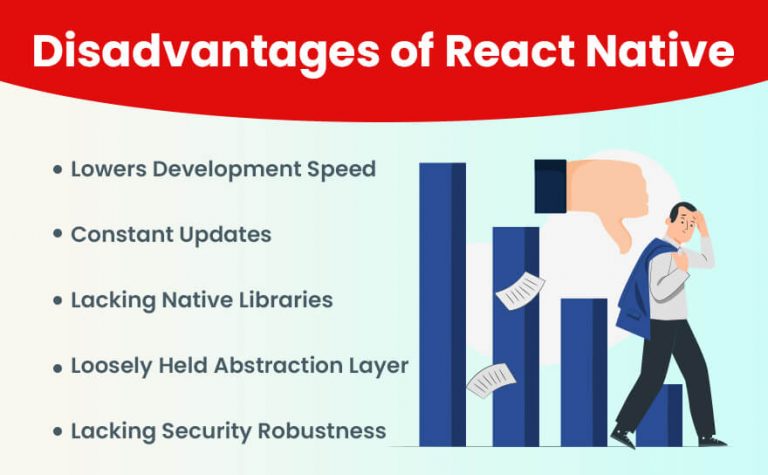
Top Disadvantages of Using React Native

Disadvantages of React Native
  • Lowers Development Speed
    The development speed of React Native applications lowers as the application is loaded with multiple features and modules. In addition, with the shortage of native modules and third-party libraries dependencies, React Native applications’ development speed is lowered too.
  • Constant Updates
    The developers are constantly working on providing better development of React Native applications. So, with such constant updates, it becomes pretty challenging for the developers to deal with new native render components, improved performance, and custom components.
  • Lacking Native Libraries
    React Native is solely responsible for slowing down the entire development process if your application is bound with multiple heavy functionalities. The primary reason is that it lacks native libraries and is dependent on external, third-party libraries.
  • Loosely Held Abstraction Layer
    React Native programmers can easily fetch tags like HTML, stylesheets like CSS, and code from Javascript. And that’s what the loosely held abstraction layer is about. It provides more freedom to the developers, but at the same time, it poses challenges as well.
  • Lacking Security Robustness
    React Native is solely responsible for creating a gap in security robustness when you create banking and financial apps where data is highly confidential; experts advise not to choose React Native application development.

Want to Create a Robust Mobile App?

Albiorix is a one-stop solution for mobile app development as we have expert mobile app developers to provide you with cost-effective solutions.

Contact Us

Technical Difference Between React and React Native

It’s time to see the differences between React Vs React Native.

1. Installation Scenario

As we all know, React is a JS library, so it becomes essential to import or integrate React library into the HTML page.

Copy
<script src="https://unpkg.com/react@18/umd/react.development.js" crossorigin></script>
 <script src="https://unpkg.com/react-dom@18/umd/react-dom.development.js" crossorigin></script>

Likewise, you can start by creating your first components in the ReactJS application.

On the other hand, to create an app using React Native framework, you must first have Android Studio (for Android applications) and Xcode (for iOS applications) in your system.

Not only this, you must install other essential tools like Node, React Native CLI, and others depending on your project needs.

Once the installation is done, you can start creating new React Native components by using React Native CLI and directly executing it on a mobile emulator.

2.Developer Efficiency

Developer efficiency is an important factor when choosing between React and React Native.

ReactJS helps developers build user interfaces quickly by allowing efficient client-side rendering while still supporting server-side rendering.

This balance gives developers more control and flexibility to create powerful web applications.

React Native, however, takes a slightly different route. It focuses on improving developer efficiency by using reusable native components that compile directly into native code.

This approach helps apps run smoothly and feel more responsive on mobile devices.

Both frameworks aim to simplify development, but React is better suited for web applications with more customization options, while React Native excels in building fast, responsive mobile apps.

Understanding these differences helps developers choose the right tool for their project and work more effectively.

3. Technology Basics

As React is a JavaScript-based framework, it’s quite apparent that you must have a basic knowledge of JavaScript technology.

However, if you have good expertise in JavaScript, you can easily become a ReactJS developer in a short period.

React Native is a cross-platform mobile framework that typically utilizes ReactJS to create mobile interactive user interfaces for cross-platforms apps on a large scale.

But, as React Native is not a pure JavaScript framework, combining Java, Objective-C, Objective-C++, and C++ code is mandatory for you to learn this framework.

4. Achievability

React is a framework that typically combines HTML and CSS for designing and building robust web applications. Moreover, it’s possible to integrate CSS, eliminating multiple challenges associated with CSS development.

React Native help you add additional components and features to the existing applications without making drastic changes in the coding. For example, let’s say your mobile application is created using a hybrid framework like Ionic and Cordova.

It becomes easy for you to reuse that Ionic-based code smoothly with simple plugin integrations.

Related Post: NativeScript vs React Native

5. Syntax

Syntax in React and React Native differs based on their platforms. ReactJS uses JavaScript along with JSX, a special syntax that looks like HTML but allows you to write components efficiently.

This makes building responsive web pages easier and more intuitive for developers familiar with HTML.

On the other hand, React Native does not use HTML or JSX in the same way. Instead, it relies on its own set of native components like <View>, <Text>, and <Image> to create mobile app interfaces.

This means React Native syntax is tailored specifically for mobile development and does not support building web applications.

Understanding these syntax differences is key to choosing the right framework for your project, whether it’s web or mobile.

6. Component Creation Method

As ReactJS is a JavaScript and component-based library, you can easily use a JavaScript class or method that specifically delivers a React element. Generally, ReactJS comes up with two main components: function components and class components.

On the other hand, React Native framework has Native components and Native modules to make it easy for developers to develop apps.

7. SEO-Friendly Application

While developing a ReactJS application, you must consider SEO parameters. The primary reason behind SEO perspectives is to rank among the top in the leading search engines.

ReactJS comes up with multiple tools and libraries that easily optimize your applications in terms of search engine optimization (SEO).

But, in the case of React Native, you do not have to deal with SEO. So it ultimately depends on how we build native UIs for our application needs.

8. Navigation

Navigation is the way users move between different screens or components within an app. In React (web development), navigation is usually managed with a library called React Router. This library uses the browser’s history to update the URL and display the right components based on the current route.

React Router includes components like <BrowserRouter>, <Routes>, and <Route>. The <BrowserRouter> wraps your app and enables routing. Inside it, <Routes> looks for the first matching route, and <Route> defines which component should appear for a specific path.

In React Native (mobile apps), navigation works differently because mobile apps don’t have URLs. Here, libraries like React Navigation are used to switch between screens smoothly, offering stacks, tabs, and drawer navigators.

Both React Router and React Navigation provide flexible ways to control how users move through your app, ensuring a smooth experience whether on web or mobile.

9. React Native

React Native, on the other hand, doesn’t have a built-in navigation library like React Router. Instead, it relies on third-party navigation libraries that are specifically designed for mobile app development.

The most popular navigation libraries for React Native are React Navigation and React Native Navigation.

React Navigation is a JavaScript-based library that provides a declarative way to handle navigation in a React Native application. It offers different navigation types, such as stack navigation, tab navigation, and drawer navigation.

With React Navigation, you define a navigation hierarchy using navigators and screens. Navigators represent the overall structure of the app, while screens represent individual screens or components.

React Navigation also provides navigational hooks and a navigation prop that you can use to navigate between screens programmatically.

React Native Navigation, on the other hand, is a native navigation library that uses native navigation components provided by the underlying platform (iOS or Android).

It offers a more performant navigation solution but requires additional setup and configuration compared to React Navigation.

Both React Navigation and React Native Navigation have their own set of APIs and features that allow you to handle navigation, pass parameters between screens, and customize the navigation experience in a React Native app.

Overall, while the concept of navigation is similar in React and React Native, the implementation and available libraries differ due to the different environments (web vs. mobile) and requirements of each platform.

10. Storage

In both React and React Native, the concept of storage refers to the ability to persist and manage data within an application. However, the specific approaches to storage differ between React and React Native due to the distinct environments in which they operate.

In React, which is primarily used for web development, the storage options are typically related to web browser capabilities. There are several methods for storing data in a React application:

  • Local Storage: The Web Storage API provides the ability to store data in the user’s web browser. It allows you to store key-value pairs of data persistently on the user’s device even after the browser is closed. The data is stored as strings and can be accessed using JavaScript.
  • Session Storage: Similar to local storage, session storage allows you to store data persistently within the user’s browser. However, the data stored using session storage is only available for the duration of the browser session and is cleared once the session ends or the browser is closed.
  • Cookies: Cookies are small pieces of data stored by the web browser. They can be used to store user-specific information and are sent with each request to the server. Cookies are often used for authentication, tracking user preferences, and maintaining session state.
  • State Management Libraries: React also offers state management libraries like Redux and MobX, which allow you to manage and store application state in a centralized manner. These libraries provide predictable and scalable ways to manage complex application states. React Native, on the other hand, is a framework used for building native mobile applications. Since it operates within a mobile environment, the storage options different from React.
  • Async Storage: React Native provides an API called AsyncStorage, which is an asynchronous, persistent, key-value storage system. It allows you to store data locally on the device, similar to local storage in web browsers. AsyncStorage is a simple and lightweight storage solution for basic data persistence in React Native applications.
  • Native Storage Solutions: React Native also allows you to leverage native storage solutions provided by the underlying mobile platforms. For example, on iOS, you can use Core Data or SQLite for more advanced data storage needs. On Android, you can utilize SQLite or Android’s SharedPreferences for storing and managing data.
  • Redux or MobX: Just like in React, you can use state management libraries such as Redux or MobX in React Native applications to handle and persist application state across different components.

It’s important to note that while these storage options exist, the choice of storage mechanism depends on the specific requirements of your application.

Factors such as the type of data, its sensitivity, performance considerations, and cross-platform compatibility should be taken into account when selecting a storage approach in both React and React Native.

React Vs React Native: The Comparison Table

Let’s highlight the difference between React and React Native in the form of a comparison table to get more insight into both technologies.

ReactReact Native
With the help of ReactJS development, it becomes easy for developers to create interactive User Interfaces that are high-performant (UI) as their own JS library.With the help of React Native, you need to build the entire framework, whether you want to create Android and iOS apps. It can be efficiently built from a single framework.
In the case of security perspectives, React framework helps developers deal with secure web and mobile applications.Compared to the ReactJS framework, React Native offers fewer security constraints for the entire mobile application development.
ReactJS is a framework that offers better and more animation effects to your applications.React Native is a framework that typically offers less animation functionality than ReactJS.
ReactJS is a base of the Document Object Model for the webReact Native functions as a derivative itself
For ReactJS, code is rendered from the DOMWhile with React Native, APIs are used in mobile applications
ReactJS has a library at its base. It means you can use it to develop a high-performance user interfaceReact Native is the framework and has no language library.

Conclusion

Choosing between React and React Native depends on your development goals. If your focus is on building fast, interactive web applications, then learning React (ReactJS) is a great start.

It helps you create dynamic user interfaces for websites and is widely used in modern web development.

On the other hand, if you’re aiming to develop mobile apps for Android and iOS, then React Native is more suitable. It shares similar concepts with React, so learning one makes it easier to understand the other.

Both are powerful, and your choice should match the platform you want to build for web or mobile.